
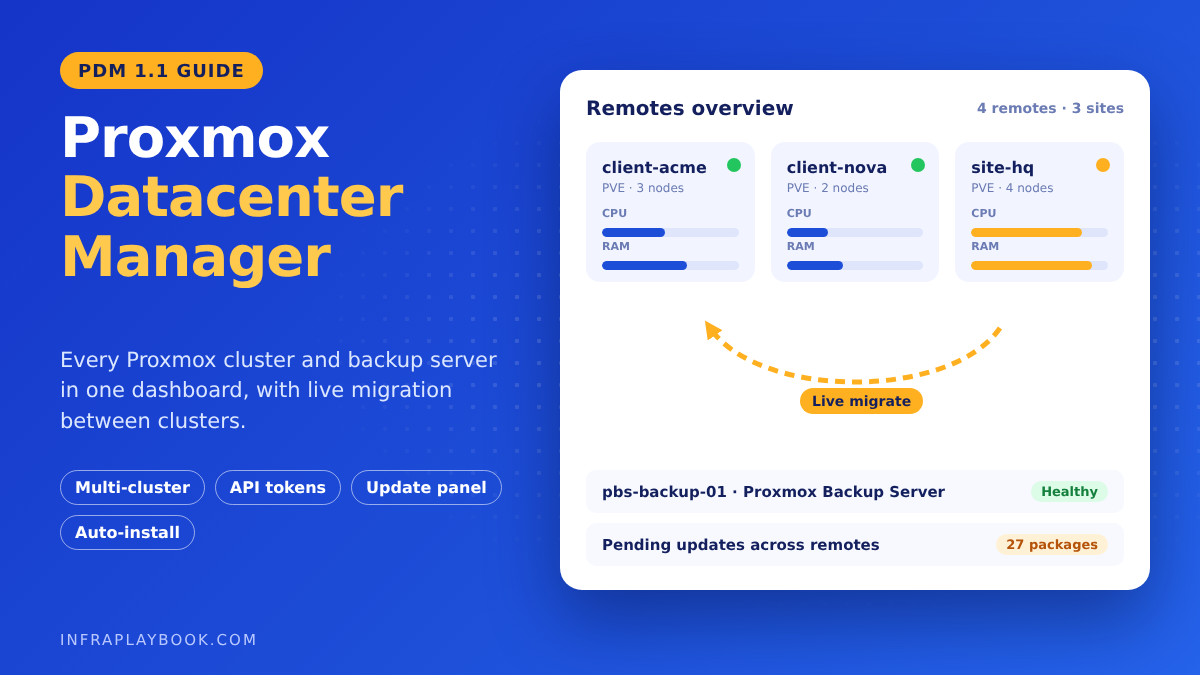
Proxmox Datacenter Manager (PDM) gives you one web interface for every Proxmox VE cluster and Proxmox Backup Server you run. It’s the closest thing Proxmox has to VMware vCenter, and it’s free and open source.
Until recently, each Proxmox cluster was its own island. MSPs kept a browser tab per client and patched clusters one by one. PDM changes that with a central dashboard, cross-cluster live migration, a global update panel and, since version 1.1, automated installs and Ceph monitoring.
This guide walks through a production PDM setup: sizing, install, secure remote connections, access control, migration and daily operations.
Table of Contents
- Technical Overview & Background
- What’s New in PDM 1.1
- Core System Prerequisites
- Step-by-Step Implementation Guide
- Architecture & Component Breakdown
- Real-World Use Cases & Enterprise Examples
- Troubleshooting, Edge Cases & Best Practices
- FAQ
- Summary & Key Takeaways
Technical Overview & Background
A single Proxmox VE cluster already has a full web interface. The problem starts when you have several clusters, separate sites, or standalone nodes. Each one has its own login, its own update list and its own view of resources.
Proxmox Datacenter Manager sits above them as a control plane. It connects to each system over its normal API, collects metrics, and lets you act on guests and hosts from one place.
PDM at a glance
| Item | Detail |
|---|---|
| First stable release | 1.0 on 4 December 2025 |
| Current release | 1.1 on 28 May 2026 |
| Base | Debian 13 “Trixie”, Linux kernel 7.0 (1.1) |
| Licence | Free and open source (GNU AGPLv3) |
| Manages | Proxmox VE nodes and clusters, Proxmox Backup Server |
| Web UI | HTTPS on port 8443 |
| Written in | Rust (backend and Yew-based web UI) |
What PDM does well
- One dashboard for CPU, memory, storage and health across all remotes.
- Cached metrics, so data stays visible if a remote is briefly offline.
- Cross-cluster live migration between independent clusters.
- Central update panel for Proxmox VE and Backup Server hosts.
- Remote shells on supported versions.
- Custom views with access control, so a client or junior admin sees only their resources.
- SDN management for EVPN zones and VNets across remotes.
What PDM doesn’t replace
PDM doesn’t replace each cluster’s own interface. Detailed VM hardware edits, storage setup and HA rules are still done mostly on the cluster. Think of PDM as the fleet view and the bridge between clusters, not a full rewrite of Proxmox VE.
What’s New in PDM 1.1
Version 1.1, released on 28 May 2026, added features that matter most to MSPs and multi-site teams.
| Feature | What it does | Why it matters |
|---|---|---|
| Automated installations | Builds Proxmox VE answer files in a wizard and serves them over HTTPS, protected by a token | Rebuild or add nodes the same way every time |
| Subscription registry | Central pool of subscription keys with assignment suggestions | No more spreadsheets of keys per client |
| Ceph monitoring | Health, capacity, performance, MONs, MGRs, OSDs and flags across clusters | One view of every hyper-converged cluster |
| Central guest list | Cross-remote guest list with snapshot management and Resume | First step to fleet-wide VM operations |
| Host metrics and widgets | Metrics for the PDM host, world map and gauges | Spot overloaded sites at a glance |
An answer file can even include a subscription key, so a newly installed node registers itself during setup.
Core System Prerequisites
PDM server sizing
| Use | CPU | RAM | Disk |
|---|---|---|---|
| Evaluation | 1 core, 64-bit | 1 GiB | More than 10 GB |
| Production | 2+ cores | 4 GiB+ | 40 GB+, redundant (ZFS mirror or RAID with protected cache) |
PDM can run as a VM, but don’t place it only on a cluster it manages. If that cluster fails, you lose your management view at the worst moment. A small VM on a separate cluster or a low-cost physical box works well.
Remotes
- Proxmox VE 9 is recommended. Remote shells need PVE 9.1+ or PBS 4.1+. Still on version 8? Follow our Proxmox 8 to 9 upgrade guide first.
- Proxmox Backup Server 4 for full PBS features. Our Proxmox Backup Server setup guide covers the install.
- A dedicated API user or token on each remote (see Step 3).
Network
| From | To | Port | Purpose |
|---|---|---|---|
| Admin browser | PDM | TCP 8443 | PDM web UI |
| PDM | Proxmox VE nodes | TCP 8006 | PVE API |
| PDM | Proxmox Backup Server | TCP 8007 | PBS API |
| Source cluster | Target cluster | TCP 8006 | Cross-cluster migration traffic through the API |
For client sites, connect PDM over a site-to-site VPN or WireGuard tunnel. Never expose port 8006 to the internet just for PDM.
Step-by-Step Implementation Guide
Step 1 — Install PDM
Option A: ISO (recommended). Download the PDM ISO from the Proxmox downloads page, boot it on a VM or server, and follow the installer. Pick a ZFS mirror if you have two disks.
Option B: existing Debian 13 system. Add the Proxmox key and the no-subscription repository:
wget https://enterprise.proxmox.com/debian/proxmox-archive-keyring-trixie.gpg \
  -O /usr/share/keyrings/proxmox-archive-keyring.gpg
sha256sum /usr/share/keyrings/proxmox-archive-keyring.gpg
# expect 136673be77aba35dcce385b28737689ad64fd785a797e57897589aed08db6e45

cat > /etc/apt/sources.list.d/proxmox.sources <<'EOF'
Types: deb
URIs: http://download.proxmox.com/debian/pdm
Suites: trixie
Components: pdm-no-subscription
Signed-By: /usr/share/keyrings/proxmox-archive-keyring.gpg
EOF

apt update
apt install proxmox-datacenter-manager-meta
proxmox-datacenter-manager-meta installs the Proxmox kernel with ZFS support. Use proxmox-datacenter-manager-container-meta instead to keep the current Debian kernel, for example inside a container.
Open the web interface at https://<pdm-ip>:8443 and log in as root with the Linux PAM realm.
Step 2 — Secure the PDM host
Do these before you add a single remote to Proxmox Datacenter Manager:
# Patch the host
apt update && apt full-upgrade -y

# Set the correct hostname and time
hostnamectl set-hostname pdm01.mgmt.example.com
timedatectl set-ntp true- Enable two-factor authentication for
rootunder Access Control → Two Factor. - Replace the self-signed certificate with one from your internal CA or ACME (Let’s Encrypt) under Certificates.
- Restrict access to port 8443 to your admin VPN or management VLAN with a firewall.
Step 3 — Create a dedicated API identity on each remote
Don’t connect PDM with your everyday root password. On one node of each Proxmox VE cluster, create a dedicated user and token:
pveum user add pdm@pve --comment "Proxmox Datacenter Manager"
pveum acl modify / --users pdm@pve --roles Administrator
pveum user token add pdm@pve pdm01 --privsep 0
The last command prints the token secret once. Store it in your password vault. With --privsep 0, the token inherits the user’s permissions, which keeps the setup simple.
For least privilege, create a custom role later with only the permissions you use from PDM, and test each feature. Start with Administrator so you can confirm everything works, then tighten.
On Proxmox Backup Server, create a similar user and token under Configuration → Access Control, and grant it the Admin role on / for full PDM visibility.
Step 4 — Add Proxmox VE and PBS remotes
In PDM, open Remotes → Add → Proxmox VE:
- Server address: a node’s IP or DNS name with port, for example
10.20.0.11:8006. - Fingerprint: PDM shows the certificate fingerprint. Compare it with Datacenter → node → System → Certificates on the PVE side, then accept.
- Authentication: enter the token ID
pdm@pve!pdm01and its secret. - Remote ID: a short name, such as
client-acme. You’ll see it everywhere, so use a clear naming scheme.
PDM can detect the other nodes of the cluster during setup. Keep more than one node address in the remote so PDM can still connect if the first node is down.
Repeat with Add → Proxmox Backup Server for each PBS, using port 8007.
Step 5 — Organise with tags and custom views
Use tags on guests in Proxmox VE (client-acme, prod, dc, sql). PDM search and views can filter on them.
Example search queries (exact syntax can vary slightly by version):
type:qemu status:running
remote:client-acme type:lxc
tag:prod status:stopped
Then create Custom Views, for example “ACME production” or “All domain controllers”. You can grant a user access to a view without giving access to the underlying hosts. That’s ideal for client read-only portals or a junior helpdesk.
Step 6 — Add users, realms and roles
Connect PDM to your directory under Access Control → Realms. LDAP, Active Directory and OpenID Connect (for example Microsoft Entra ID) are supported.
A practical Proxmox Datacenter Manager role plan for an MSP:
| Group | Scope | Role |
|---|---|---|
| Senior engineers | All remotes | Full administration |
| Helpdesk | Custom views per client | Audit or guest power actions |
| Client contacts | Their own view only | Read-only |
| Automation | API token | Only what the script needs |
Step 7 — Use the update panel
Open Updates to see pending packages and repository status across every PVE and PBS remote. You can see at a glance which clusters still use the wrong repository or lag behind on security fixes.
Patch one cluster at a time, and one node at a time within each cluster. Migrate guests off each node before you reboot it.
Step 8 — Migrate a VM between clusters
Cross-cluster live migration is PDM’s headline feature. Select a running VM, choose Migrate, then pick:
- Target remote (the other cluster)
- Target node
- Target storage for each disk
- Target bridge or VNet for each network card
Before your first production move, check these points:
- The VM ID must be free on the target, or choose a new one.
- The CPU type must be supported on target hosts.
x86-64-v2-AESorx86-64-v3is safer thanhostacross different hardware. - Bandwidth matters. Disks are copied over the network, so large VMs between sites can take hours. Test with a small VM first.
- Containers are generally moved with a restart, not live.
- Back up first. A fresh backup to PBS is your safety net.
Step 9 — Automate new nodes (PDM 1.1)
Under Automated Installations, build an answer file with:
- Network: hostname, IP, gateway, DNS
- Disks: filesystem (for example ZFS RAID1) and target disks
- Region: time zone, country and keyboard
- Access: root password hash and SSH public keys
- Subscription key (optional) from the registry
Boot the new server from a Proxmox VE 9.2 ISO prepared for automated install. It fetches the answer over HTTPS using a token, installs unattended, and reports progress in PDM. Every node now gets the same build.
Architecture & Component Breakdown
| Component | Role |
|---|---|
| PDM server | Rust backend plus web UI on port 8443; stores remote config and cached metrics |
| Remotes (PVE/PBS) | Managed systems reached through their APIs (8006/8007) |
| API tokens | Per-remote credentials PDM uses for every call |
| Pinned fingerprints | Trust for self-signed remote certificates |
| Metrics cache | Keeps the last known state when a remote is offline |
| Custom views & ACLs | Scoped access for users and clients |
| Update panel | Aggregated package and repository status |
| Auto-install service (1.1) | Serves answer files to new nodes over HTTPS |
| Subscription registry (1.1) | Central pool of Proxmox subscription keys |
Logical layout
                 Admins / Helpdesk / Clients
                           │  HTTPS 8443
                    ┌──────▼───────┐
                    │  PDM server  │  (separate cluster or small box)
                    └──┬────┬────┬─┘
            API 8006   │    │    │   API 8007
        ┌──────────────┘    │    └───────────────┐
 ┌──────▼──────┐     ┌──────▼──────┐      ┌──────▼──────┐
 │ PVE cluster │     │ PVE cluster │      │    PBS      │
 │  Client A   │◄───►│  Client B   │      │  backups    │
 └─────────────┘     └─────────────┘      └─────────────┘
        cross-cluster migration (8006)
Real-World Use Cases & Enterprise Examples
1. MSP with 22 client clusters
An MSP manages 22 small Proxmox clusters and 9 PBS servers through a WireGuard hub. Before PDM, monthly patching took a full day of logins. With the update panel, the team sees every pending update in one screen and cuts patch planning to about an hour.
2. Moving off VMware
A company leaving VMware after the Broadcom price changes missed vCenter’s single view. PDM fills that gap for their 3 sites. If you’re weighing that move, see our breakdown of VMware licensing in 2026 for small businesses.
3. Hardware refresh without downtime
A school district bought a new cluster. Instead of backup-and-restore, the team live-migrates 140 VMs from the old cluster to the new one through PDM over two weekends. Users notice nothing.
4. Client read-only portal
An MSP gives each client a PDM account limited to a custom view of their own VMs. Clients can check status and resource use themselves, which cuts “is the server down?” tickets.
5. Standard builds for new sites
With PDM 1.1 automated installs, a retail chain rolls out a two-node cluster per store. Each node installs from the same answer file with the right network and subscription key. New sites are ready in under an hour.
Troubleshooting, Edge Cases & Best Practices
Remote shows as unreachable after a certificate renewal
Cause: PDM pinned the old self-signed fingerprint.
Fix: use Check Certificate in the UI, or run proxmox-datacenter-manager-client remote probe-certificate <remote> <node> and then remote set-fingerprint. Using trusted certificates on remotes avoids this.
“Permission denied” (403) on some actions
Cause: the API token lacks a privilege, or privilege separation is on without its own ACLs.
Fix: check the token’s ACLs on the remote with pveum user token permissions pdm@pve pdm01. Grant the missing role or recreate the token with --privsep 0.
Remote shell option is missing
Cause: remote shells need PVE 9.1+ or PBS 4.1+.
Fix: upgrade the remote. PDM hides the shell for older versions.
Cross-cluster migration fails at start
Cause: VM ID conflict, missing target storage or bridge, or blocked port 8006 between clusters.
Fix: pick a free VM ID, map every disk and NIC, and confirm the clusters can reach each other on 8006.
VM crashes or won’t start after migration
Cause: CPU type host on different CPU generations.
Fix: switch to a generic model like x86-64-v2-AES before migrating.
Proxmox Datacenter Manager best practices
- Run PDM outside the clusters it manages, or at least on a different one.
- Use one API token per remote and rotate them yearly.
- Back up PDM like any other server. Its config lives under
/etc/proxmox-datacenter-manager/. - Tag guests consistently so search and views stay useful.
- Keep PDM and remotes on supported versions. Many features follow the remote’s version.
- Use trusted certificates on remotes to avoid fingerprint breakage.
FAQ
What is Proxmox Datacenter Manager?
Proxmox Datacenter Manager (PDM) is a free, open-source management server from Proxmox. It connects multiple Proxmox VE clusters and Proxmox Backup Servers in one web interface, with central metrics, updates, access control and cross-cluster live migration.
Is Proxmox Datacenter Manager free?
Yes. PDM is licensed under the GNU AGPLv3 and can be used without a subscription through the no-subscription repository. Paid Proxmox subscriptions add the enterprise repository and support.
Is Proxmox Datacenter Manager a replacement for vCenter?
It covers the main vCenter roles for most small and mid-sized teams: a single view, central updates and migration between clusters. Detailed VM and storage configuration is still done mostly on each Proxmox VE cluster.
Which port does Proxmox Datacenter Manager use?
The PDM web interface uses HTTPS on port 8443. PDM connects to Proxmox VE remotes on port 8006 and to Proxmox Backup Server remotes on port 8007.
What’s new in Proxmox Datacenter Manager 1.1?
Version 1.1, released on 28 May 2026, added automated Proxmox VE installations, a central subscription key registry, Ceph monitoring across clusters, a cross-remote guest list with snapshot management, and host metrics. It is based on Debian 13 with Linux kernel 7.0.
Summary & Key Takeaways
Proxmox Datacenter Manager turns separate Proxmox clusters into one manageable fleet. For MSPs and teams leaving VMware, it delivers the single pane of glass that was missing, without licence costs.
Key takeaways:
- PDM 1.0 went stable on 4 Dec 2025. PDM 1.1 arrived on 28 May 2026.
- Install from ISO or on Debian 13, then open
https://<pdm>:8443. - Connect remotes with a dedicated API token per cluster, never your daily root login.
- Use tags and custom views to give clients and helpdesk scoped access.
- Migrate VMs between clusters with mapped storage and networks and a generic CPU type.
- PDM 1.1 adds automated installs, a subscription registry and Ceph monitoring.
Related reading: Proxmox 8 to 9 upgrade, Proxmox Backup Server setup and VMware licensing in 2026.
Editorial note: Release dates, system requirements and repository details come from the official Proxmox Datacenter Manager documentation. Feature coverage is cross-checked with StorageReview and Virtualization Howto. Menu names may differ slightly between versions.