
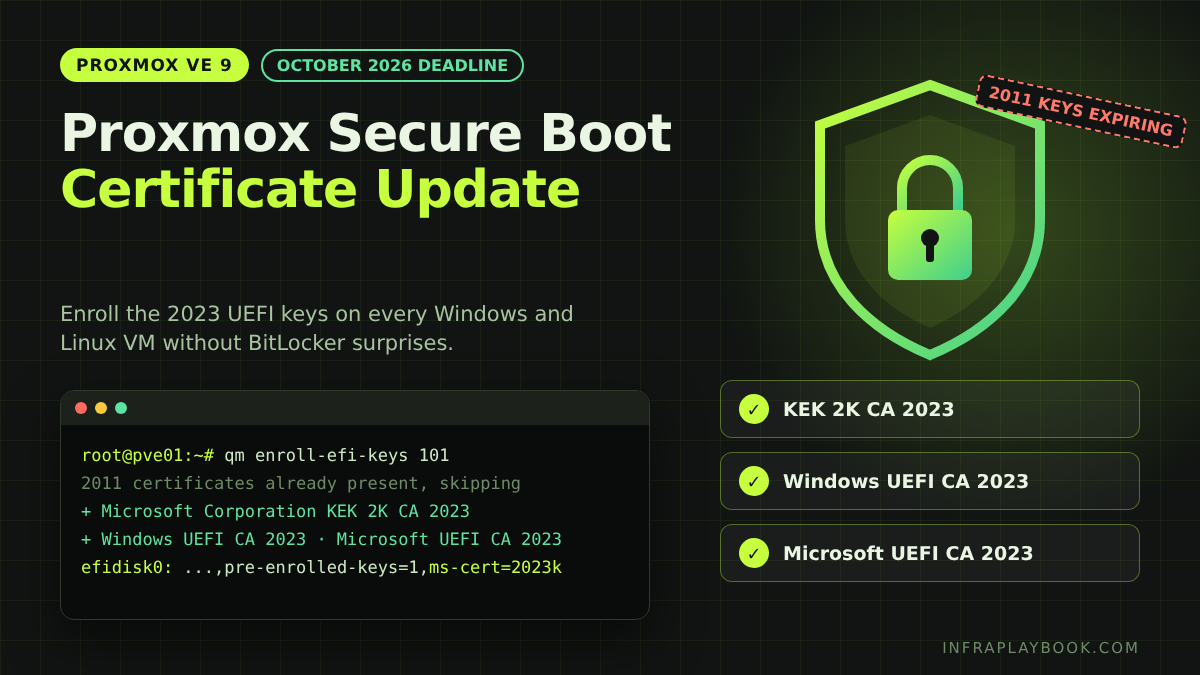
A Proxmox Secure Boot certificate update is now required on almost every UEFI virtual machine. Microsoft’s 2011 Secure Boot certificates expired in June 2026. The certificate that signs the Windows Boot Manager expires in October 2026.
Each Proxmox VM keeps its own copy of these keys inside its EFI disk. Updating the host does nothing for those copies. If you see the warning “EFI disk without ‘ms-cert=2023k’ option”, your VMs still trust only the old chain.
This guide shows how to find every affected VM, enroll the new keys with qm enroll-efi-keys, avoid BitLocker recovery prompts, and finish the update inside Windows. It’s written for admins and MSPs running a handful to hundreds of VMs.
Table of Contents
- Technical Overview & Background
- What Changes and When
- Core System Prerequisites
- Step-by-Step Implementation Guide
- Architecture & Component Breakdown
- Real-World Use Cases & Enterprise Examples
- Troubleshooting, Edge Cases & Best Practices
- FAQ
- Summary & Key Takeaways
Technical Overview & Background
Secure Boot lets firmware run only boot code signed by a trusted certificate. Proxmox VMs get UEFI firmware from OVMF (the pve-edk2-firmware package). When you tick Pre-Enroll keys on an EFI disk, Proxmox copies Microsoft’s certificates into that disk.
Those keys are stored per VM. A VM created in 2023 still holds only the 2011 keys, even on a host you upgraded last week.
Why the host update isn’t enough
| Layer | Where keys live | Updated by |
|---|---|---|
| Physical host | Server firmware (NVRAM) | Server vendor BIOS/UEFI updates |
| New VMs | New EFI disk | Current pve-edk2-firmware (adds 2011 and 2023 keys) |
| Existing VMs | Each VM’s EFI disk | You, with qm enroll-efi-keys or the GUI |
| Windows guest | Boot manager and DBX on the guest disk | Windows Update servicing task |
According to Proxmox’s developer patches, new EFI disks get both certificate sets and the ms-cert=2023k marker when pve-edk2-firmware is 4.2025.05-1 or newer. Older disks keep the 2011 set until you enroll the new one.
What Changes and When
| Expiring certificate | Expiry | Replacement | What it signs |
|---|---|---|---|
| Microsoft Corporation KEK CA 2011 | June 2026 | Microsoft Corporation KEK 2K CA 2023 | Updates to the DB and DBX lists |
| Microsoft Corporation UEFI CA 2011 | June 2026 | Microsoft UEFI CA 2023 | Third-party loaders such as the Linux shim |
| Microsoft Windows Production PCA 2011 | October 2026 | Windows UEFI CA 2023 | Windows Boot Manager |
What actually breaks
Nothing stops on the expiry date. VMs keep booting with their current boot files. The risk builds over time:
- New boot-level security fixes for Windows are signed with the 2023 certificates only.
- New install and recovery media may not boot on a VM that trusts only 2011.
- Linux distributions are moving to shims signed with the 2023 key. Proxmox staff warn these VMs will likely fail to boot if the 2023 certificate is missing.
- Compliance scans increasingly flag systems still on the 2011 chain.
The ms-cert markers
Proxmox records the state of each EFI disk in the ms-cert option on the efidisk0 line:
| Marker | Meaning | Action |
|---|---|---|
none / 2011 | Only the 2011 certificates | Enroll |
2023 or 2023w | Older, deprecated markers; may be partial | Enroll again |
2023k | Microsoft UEFI CA 2023, Windows UEFI CA 2023 and KEK 2K CA 2023 enrolled | Done on the host side |
Core System Prerequisites
On the Proxmox host
- Proxmox VE 9 with current updates. The enrollment feature was merged in March 2026 and is included in Proxmox VE 9.2. Still on version 8? Follow our Proxmox 8 to 9 upgrade guide first.
- Root shell or GUI access to every node.
- A maintenance window. Each VM must be fully shut down for the CLI method.
For each VM
- BIOS set to OVMF (UEFI) and an EFI disk with pre-enrolled keys.
- A recent backup. Take a full backup to Proxmox Backup Server before you start.
- BitLocker recovery keys saved for every encrypted Windows guest.
- Windows guests patched to at least the March 2026 cumulative update, which contains the certificate servicing logic.
Quick check: is Secure Boot even on?
In a Windows guest, run this in an elevated PowerShell window:
Confirm-SecureBootUEFITrue means Secure Boot is active and this guide applies. False means the VM boots without Secure Boot, so the update is lower priority. Still enroll the keys before you turn Secure Boot on later.
Step-by-Step Implementation Guide
Step 1 — Audit every UEFI VM on each node
Save this as /root/efi-audit.sh and run it on each node. It lists every OVMF VM and its certificate state.
#!/bin/bash
# efi-audit.sh - list OVMF VMs and their Secure Boot key state
printf "%-6s %-28s %-8s %-10s %s\n" VMID NAME STATUS PREENROLL MSCERT
for vmid in $(qm list | awk 'NR>1 {print $1}'); do
  cfg=$(qm config "$vmid")
  grep -q '^bios: ovmf' <<<"$cfg" || continue
  name=$(awk '/^name:/ {print $2}' <<<"$cfg")
  status=$(qm status "$vmid" | awk '{print $2}')
  efi=$(grep '^efidisk0:' <<<"$cfg")
  if [ -z "$efi" ]; then
    printf "%-6s %-28s %-8s %-10s %s\n" "$vmid" "$name" "$status" "-" "NO-EFIDISK"
    continue
  fi
  pre=$(grep -o 'pre-enrolled-keys=[01]' <<<"$efi" | cut -d= -f2)
  ms=$(grep -o 'ms-cert=[0-9a-z]*' <<<"$efi" | cut -d= -f2)
  printf "%-6s %-28s %-8s %-10s %s\n" "$vmid" "$name" "$status" "${pre:-0}" "${ms:-2011}"
done
chmod +x /root/efi-audit.sh
/root/efi-audit.sh | tee /root/efi-audit-$(hostname)-$(date +%F).txtExample output from a node before the Proxmox Secure Boot certificate update:
VMID   NAME                         STATUS   PREENROLL  MSCERT
101    dc01                         running  1          2011
102    fs01                         running  1          2011
110    rds01                        running  1          2023
120    ubuntu-web                   running  1          2023k
130    win11-lab                    stopped  0          2011
Read the results like this:
PREENROLL 1with2011,2023or2023wneeds enrolling.2023kis already done on the host side.PREENROLL 0means Microsoft keys were never pre-enrolled. Secure Boot is probably off in that VM.NO-EFIDISKmeans the VM uses temporary UEFI variables. See the troubleshooting section.
Step 2 — Back up and record BitLocker state
Back up each VM in scope before the Proxmox Secure Boot certificate update:
vzdump 101 --mode snapshot --storage pbs01 --notes-template "pre-secureboot-2023 {{guestname}}"Inside each Windows guest, check BitLocker:
manage-bde -status C:
manage-bde -protectors -get C:
Confirm the 48-digit recovery password is stored in Active Directory, Entra ID or your password vault before you continue.
Step 3 — Suspend BitLocker in the guest
Changing the Secure Boot database changes the TPM measurements. A Windows VM with a virtual TPM and BitLocker will then ask for the recovery key. Suspend protection first:
Suspend-BitLocker -MountPoint "C:" -RebootCount 0-RebootCount 0 keeps BitLocker suspended until you resume it yourself. Servicing can take several reboots, and the default of one reboot isn’t enough. Repeat for every encrypted volume.
Step 4 — Enroll the 2023 certificates on the host
GUI method: select the VM, open Hardware, select EFI Disk, then choose Disk Action → Enroll Updated Certificates and confirm. The button is greyed out if the disk already has 2023k, has a pending change, or has no pre-enrolled keys.
CLI method: shut the VM down fully, then enroll:
qm shutdown 101 --timeout 300
qm enroll-efi-keys 101
qm config 101 | grep efidisk0
qm start 101
The efidisk0 line should now end with ms-cert=2023k. In Proxmox’s enrollment log, existing 2011 entries are reported as “already present, skipping” while the 2023 certificates are added.
The new keys take effect at the next cold start. A reboot started from the Proxmox GUI also applies them, but a reboot from inside the guest may not.
Step 5 — Enroll many VMs in one pass
For a planned maintenance window, use a short loop. List only VMs you have backed up and prepared for BitLocker:
#!/bin/bash
# enroll-batch.sh - shut down, enroll and start a list of VMs
for vmid in 101 102 110 130; do
  echo "== VM $vmid =="
  was_running=$(qm status "$vmid" | awk '{print $2}')
  [ "$was_running" = "running" ] && qm shutdown "$vmid" --timeout 300
  if qm enroll-efi-keys "$vmid"; then
    qm config "$vmid" | grep -o 'ms-cert=[0-9a-z]*'
  else
    echo "!! enrollment failed for $vmid"
  fi
  [ "$was_running" = "running" ] && qm start "$vmid"
done
The loop only starts VMs that were running before. Run it on the node that hosts each VM, or migrate VMs to one node first.
Step 6 — Finish the update inside Windows
Host enrollment puts the new keys in the VM’s firmware. Windows must still move its own boot manager to the 2023-signed version. In an elevated PowerShell window:
Set-ItemProperty -Path "HKLM:\SYSTEM\CurrentControlSet\Control\SecureBoot" -Name "AvailableUpdates" -Type DWord -Value 0x5944
Start-ScheduledTask -TaskPath "\Microsoft\Windows\PI\" -TaskName "Secure-Boot-Update"
Reboot, then check the status:
Get-ItemProperty -Path "HKLM:\SYSTEM\CurrentControlSet\Control\SecureBoot\Servicing" |
  Select-Object UEFICA2023Status, UEFICA2023Error
If the status shows InProgress, reboot again and recheck. You want Updated. More than one reboot is normal.
Step 7 — Verify the keys from inside the guest
$db  = [System.Text.Encoding]::ASCII.GetString((Get-SecureBootUEFI db).bytes)
$kek = [System.Text.Encoding]::ASCII.GetString((Get-SecureBootUEFI kek).bytes)
[pscustomobject]@{
  WindowsUEFICA2023 = $db  -match 'Windows UEFI CA 2023'
  MicrosoftUEFICA2023 = $db -match 'Microsoft UEFI CA 2023'
  KEK2023 = $kek -match 'KEK 2K CA 2023'
}
All three values should be True. Also check the System event log for Secure Boot events 1801 (update pending) and 1808 (update applied).
Step 8 — Resume BitLocker and close out
Resume-BitLocker -MountPoint "C:"
manage-bde -status C:
Protection Status should read Protection On. Rerun /root/efi-audit.sh on each node and file the report with the change ticket.
Architecture & Component Breakdown
| Component | Role in the update |
|---|---|
| pve-edk2-firmware (OVMF) | UEFI firmware for VMs; version 4.2025.05-1+ adds 2023 keys to new EFI disks |
EFI disk (efidisk0) | Stores each VM’s UEFI variables, including PK, KEK, DB and DBX |
ms-cert marker | Records which Microsoft certificate set the disk holds |
qm enroll-efi-keys | Adds the 2023 KEK and DB certificates to a stopped VM’s EFI disk |
| GUI Disk Action | Same enrollment from Hardware → EFI Disk |
Virtual TPM (tpmstate0) | Measures Secure Boot state; reason BitLocker must be suspended |
| Windows Secure-Boot-Update task | Swaps the boot manager to the 2023-signed version and applies DBX changes |
| Proxmox Backup Server | Rollback point if anything fails |
Update flow
Audit (efi-audit.sh)
   │
   ├─ MSCERT = 2023k ───────────────► Host side done → check Windows (Step 6–7)
   │
   └─ MSCERT = 2011 / 2023 / 2023w
         │
         ├─ Backup to PBS
         ├─ Suspend BitLocker (RebootCount 0)
         ├─ Shut down → qm enroll-efi-keys → start
         ├─ Windows: AvailableUpdates 0x5944 + Secure-Boot-Update task
         ├─ Reboot until UEFICA2023Status = Updated
         └─ Resume BitLocker → re-audit
Real-World Use Cases & Enterprise Examples
1. MSP with 14 client clusters
An MSP runs 14 small Proxmox clusters with 310 VMs. The audit finds 188 OVMF VMs, and 171 still show 2011. The team enrolls them during each client’s regular patch window, about 15 VMs per hour, including BitLocker checks. All clusters are finished in two weeks.
2. Small business with two domain controllers
A 40-user office has two Windows Server domain controllers on one node. The admin enrolls DC02 first, confirms replication and logon, then enrolls DC01 the next evening. Users never lose authentication.
3. Lab template that kept recreating the problem
New Windows VMs kept appearing with 2011. The cause was an old template cloned for every build. Enrollment doesn’t run on templates, so the team full-cloned the template to a normal VM, enrolled it, ran Windows servicing, then converted it back. Every new clone now starts with 2023k.
4. Linux web servers on Secure Boot
Ubuntu and Debian VMs boot through shim, signed by the Microsoft UEFI CA. Enrolling the 2023 keys now means future shims signed only with the 2023 key will still boot. Proxmox staff note Debian’s upgrade checks the enrolled keys and warns loudly if the 2023 key is missing.
5. Migration project from VMware
A company moving from VMware enrolls keys as part of each VM’s import checklist. That stops imported VMs from becoming the next audit failure. If you’re planning that move, read our guide to VMware to Proxmox migration failures.
Troubleshooting, Edge Cases & Best Practices
“Enroll Updated Certificates” is greyed out
Cause: the disk already has 2023k, has a pending hardware change, or was created without pre-enrolled keys.
Fix: apply or revert pending changes, then retry. If pre-enrolled keys are off, Secure Boot isn’t using Microsoft keys, so plan a separate change to enable it.
qm enroll-efi-keys fails
Cause: the VM is still running, is a template, or has no EFI disk.
Fix: run qm status <vmid> and wait for stopped. For templates, full-clone, enroll and convert back. For VMs with no EFI disk, see the next item.
VM has OVMF but no EFI disk
Cause: the VM was built without an EFI disk, so UEFI settings reset at every start.
Fix: add one under Hardware → Add → EFI Disk with Pre-Enroll keys ticked. On current firmware it’s created with 2023k. Test the boot afterwards, because boot entries may need recreating.
BitLocker recovery screen after enrollment
Cause: BitLocker wasn’t suspended, or it resumed after one reboot.
Fix: enter the recovery key from AD, Entra ID or your vault. Then suspend with -RebootCount 0 and finish servicing.
UEFICA2023Status stays InProgress
Cause: servicing needs more reboots, or the guest lacks the March 2026 update.
Fix: install the latest cumulative update, reboot twice, and check the UEFICA2023Error value and System event log.
Snapshot rollback brings back the 2011 keys
Cause: the EFI disk is part of the snapshot.
Fix: after rolling back to an older snapshot, rerun the audit and enroll again. Delete old snapshots once the update is confirmed.
Proxmox Secure Boot certificate update best practices
- Audit first and keep the report with your change record.
- Pilot on two or three VMs of each type (DC, file server, Linux) before mass enrollment.
- Always back up and suspend BitLocker before touching the EFI disk.
- Fix templates so new clones start compliant.
- Don’t forget the host firmware. Bare-metal Proxmox nodes with Secure Boot on need vendor BIOS updates too.
- Rerun the audit monthly until every VM shows
2023kand Windows reports Updated.
FAQ
What does the ms-cert=2023k warning mean in Proxmox?
It means the VM’s EFI disk doesn’t yet contain all of Microsoft’s 2023 Secure Boot certificates. Disks marked 2023k hold the Microsoft UEFI CA 2023, Windows UEFI CA 2023 and KEK 2K CA 2023. Fix it by enrolling the new keys with qm enroll-efi-keys or the GUI.
Does qm enroll-efi-keys remove the 2011 certificates?
In Proxmox’s enrollment log, existing 2011 entries are reported as already present and skipped, while the 2023 certificates are added. The VM keeps booting its current boot files, and Windows later moves to the 2023-signed boot manager through its own servicing task.
Do I need to shut down the VM to update its Secure Boot keys?
Yes for the CLI. qm enroll-efi-keys only works on a stopped VM. The new keys take effect at the next cold start, or after a reboot started from the Proxmox GUI.
Will updating Secure Boot certificates trigger BitLocker recovery?
It can, on Windows VMs with a virtual TPM and BitLocker. Suspend BitLocker first with Suspend-BitLocker -RebootCount 0, keep the recovery key ready, and resume protection once Windows reports the update as Updated.
Do Linux VMs on Proxmox need the 2023 certificates too?
Yes, if they use Secure Boot. Linux boots through a shim signed by the Microsoft UEFI CA, and newer shims are signed with the 2023 key. Without the 2023 certificate, future shim updates may fail to boot.
Summary & Key Takeaways
The Proxmox Secure Boot certificate update is a per-VM job. Upgrading the host doesn’t touch the keys stored in each EFI disk. With the Windows boot-signing certificate expiring in October 2026, every UEFI VM still on the 2011 chain should be enrolled now.
Key takeaways:
- June 2026: KEK CA 2011 and UEFI CA 2011 expired. October 2026: Windows Production PCA 2011 expires.
- Audit with the script and look for
ms-cert=2023kon everyefidisk0line. - Fix with
qm enroll-efi-keys <vmid>on a stopped VM, or Disk Action → Enroll Updated Certificates. - Suspend BitLocker with
-RebootCount 0before enrollment. - Finish inside Windows with
AvailableUpdates = 0x5944and the Secure-Boot-Update task. - Fix templates and recheck after snapshot rollbacks.
Related reading: Proxmox 8 to 9 upgrade and Proxmox Backup Server setup.
Editorial note: Proxmox details come from the Proxmox developer mailing list and forum (qemu-server/manager patch series applied March 2026). Certificate dates follow Microsoft’s published Secure Boot schedule. Windows servicing steps are based on Microsoft’s guidance as summarised by Akzium and Virtualization Howto. Test on a pilot VM before changing production.