
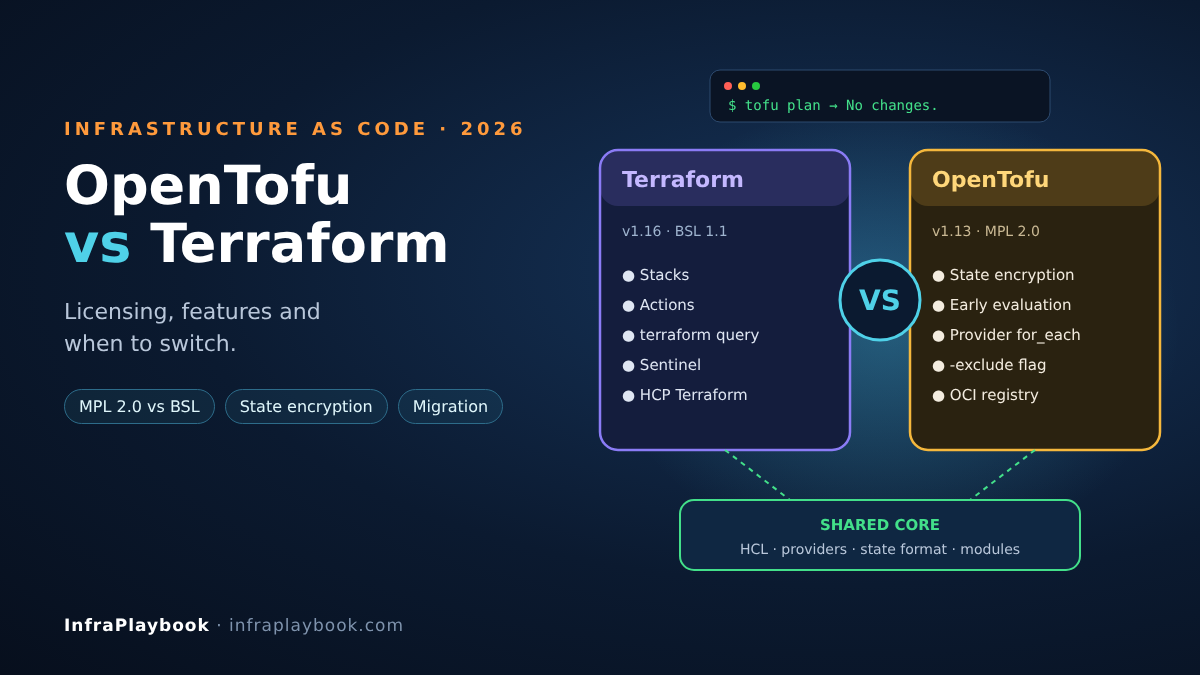
The OpenTofu vs Terraform question looked simple in 2023. OpenTofu was a fork of Terraform 1.5 that kept the open-source licence, and little else was different. Three years later the two tools have diverged. Each now has features the other lacks, different release cadences and different commercial ecosystems.
This guide compares them as they stand in October 2026: Terraform 1.16 and OpenTofu 1.13. It covers licensing, real feature differences, migration in both directions and a decision framework you can defend to management.
Table of Contents
- Technical Overview & Background
- Licensing and Governance Compared
- Feature Comparison in 2026
- Core System Prerequisites
- Step-by-Step Implementation Guide
- Architecture & Component Breakdown
- Real-World Use Cases & Enterprise Examples
- Troubleshooting, Edge Cases & Best Practices
- FAQ
- Summary & Key Takeaways
Technical Overview & Background
Terraform is HashiCorp’s infrastructure-as-code (IaC) tool. You describe infrastructure in HCL, and Terraform builds a dependency graph, compares it to a state file and applies only the changes needed. Providers translate HCL into API calls for AWS, Azure, Google Cloud, Proxmox, Kubernetes and thousands of other platforms.
OpenTofu is a community fork of Terraform, hosted by the Linux Foundation. It uses the same HCL language, the same state format and the same provider protocol. Its CLI is called tofu instead of terraform.
Timeline
| Date | Event |
|---|---|
| Aug 2023 | HashiCorp moves Terraform from MPL 2.0 to the Business Source License (BSL) 1.1 |
| Sep 2023 | OpenTF manifesto; the fork is announced from Terraform 1.5.x |
| Jan 2024 | OpenTofu 1.6 GA, the first stable release under the Linux Foundation |
| Apr 2024 | OpenTofu 1.7 adds native state encryption |
| 2025 | IBM completes its acquisition of HashiCorp; Terraform remains under BSL |
| Jun–Jul 2025 | OpenTofu 1.10 adds OCI registry support and -exclude |
| Dec 2025 | OpenTofu 1.11 adds ephemeral resources, write-only attributes and the enabled meta-argument |
| Aug 2026 | Terraform 1.16 released (import blocks in modules, new action events) |
| Sep 2026 | OpenTofu 1.13 released (supported until August 2027) |
Licensing and Governance Compared
In the OpenTofu vs Terraform debate, licensing is still the main reason teams choose one over the other.
| Terraform | OpenTofu | |
|---|---|---|
| Licence | Business Source License 1.1 | Mozilla Public License 2.0 |
| OSI-approved open source | No (source-available) | Yes |
| Owner / steward | HashiCorp, an IBM company | Linux Foundation |
| Licence change risk | Decided by one vendor | Requires community governance |
| Delayed open-sourcing | Each release converts to MPL after 4 years | Not applicable |
| Commercial platform | HCP Terraform, Terraform Enterprise | Spacelift, env0, Scalr, Harness and others |
What the BSL actually restricts
For most companies, the BSL does not stop you using Terraform. Running terraform apply on your own infrastructure is allowed. The restriction targets vendors who offer a product that competes with HashiCorp’s commercial offerings, such as a hosted Terraform service.
The practical risks are indirect:
- Your legal team may not approve non-OSI licences for core tooling.
- Your vendors (CI platforms, MSP tooling) may have moved to OpenTofu.
- Future changes to licence or pricing are decided by one company.
If none of those apply, licensing alone isn’t a reason to migrate.
Feature Comparison in 2026
Both tools kept most of the shared core. The differences are now meaningful, though.
Shared by both
- HCL language, modules,
for_each,count,dynamicblocks - Identical state file format for shared features
- The same providers (AWS, AzureRM, Google, Kubernetes, Proxmox and others)
importblocks,movedandremovedblocks,checkblocks- Built-in test framework (
terraform test/tofu test) - Ephemeral resources and write-only attributes for secrets (Terraform 1.10–1.11, OpenTofu 1.11)
OpenTofu-only features
| Feature | Since | Why it matters |
|---|---|---|
| Native state and plan encryption | 1.7 | Encrypts state at rest with AES-GCM; keys from passphrase, AWS KMS, GCP KMS or OpenBao |
| Early variable evaluation | 1.8 | Variables and locals allowed in backend blocks and module source |
Provider for_each | 1.9 | One provider block for many regions or accounts |
-exclude flag | 1.10 | The opposite of -target: plan everything except chosen resources |
| OCI registry for providers and modules | 1.10 | Distribute providers and modules from Harbor, ECR, GHCR or other OCI registries |
enabled meta-argument | 1.11 | Clean on/off switch instead of count = var.x ? 1 : 0 |
| Experimental built-in linting | 1.13 | Early static checks without extra tools |
Terraform-only features
| Feature | Why it matters |
|---|---|
| Terraform Stacks | Orchestrates many configurations across environments and regions as one unit (HCP Terraform) |
Actions (action blocks) | Run imperative operations, such as invoking a Lambda or restarting a service, tied to lifecycle events |
terraform query | Lists existing cloud resources and generates import configuration in bulk |
| Import blocks inside modules | Added in 1.16 |
| Sentinel policy as code | Deep integration with HCP Terraform and Terraform Enterprise |
| HCP Terraform integration | Remote runs, private registry, drift detection, run tasks |
Quick verdict table
| Need | Better fit |
|---|---|
| OSI-licensed tooling, vendor neutrality | OpenTofu |
| Encrypted state without extra tooling | OpenTofu |
| Multi-region providers in a loop | OpenTofu |
| Stacks, Sentinel, HCP Terraform workflows | Terraform |
Bulk import with terraform query | Terraform |
| Existing Terraform Enterprise contract | Terraform |
Core System Prerequisites
Before you settle the OpenTofu vs Terraform choice or migrate, check these.
Inventory your estate
- Current Terraform version in each repository (
required_version) - Remote backends in use (S3, AzureRM, GCS, HCP Terraform, Consul)
- Providers and versions (
.terraform.lock.hcl) - Features in use that exist in only one tool (Stacks, Sentinel,
terraform query, actions) - CI/CD runners and how they install the binary
Tooling
- OpenTofu 1.13 and Terraform 1.16 installed side by side for comparison
- A state backup for every workspace
- A non-production workspace to test the switch
- Read access to provider documentation for any provider you pin heavily
Version compatibility rules
- OpenTofu reads state written by Terraform 1.5 and later for shared features.
- Migrating from Terraform 1.6 or newer is supported, but check the OpenTofu migration guide for your exact version.
- A state file that uses features from only one tool may not be readable by the other.
Step-by-Step Implementation Guide
The steps below migrate an existing Terraform configuration to OpenTofu, then cover the reverse path.
Step 1 — Back up state for every workspace
# Remote backends: pull a copy of each workspace's state
for ws in $(terraform workspace list | tr -d '* '); do
  terraform workspace select "$ws"
  terraform state pull > "backup-${ws}-$(date +%F).tfstate"
done
Store these backups outside the repository, ideally in versioned object storage.
Step 2 — Install OpenTofu next to Terraform
# Official installer script (Debian/Ubuntu/RHEL); check opentofu.org for the latest method
curl --proto '=https' --tlsv1.2 -fsSL https://get.opentofu.org/install-opentofu.sh -o install-opentofu.sh
chmod +x install-opentofu.sh
./install-opentofu.sh --install-method deb   # or rpm, standalone, brew
rm install-opentofu.sh

tofu version
terraform version
Step 3 — Check version constraints
required_version constraints apply to OpenTofu too. A constraint like >= 1.9 will accept OpenTofu 1.13. A pin like ~> 1.16.0 will not, because OpenTofu has no 1.16.
terraform {
  required_version = ">= 1.9.0"

  required_providers {
    aws = {
      source  = "hashicorp/aws"
      version = "~> 6.0"
    }
  }
}
OpenTofu resolves hashicorp/aws from registry.opentofu.org, which mirrors the same providers.
Step 4 — Initialise and compare the plan
tofu init -upgrade
tofu plan -out=tofu.plan
The goal is “No changes.” If the plan shows changes:
- Compare provider versions in
.terraform.lock.hcl(OpenTofu writes its own hashes). - Check for Terraform-only blocks such as
actionor Stacks files. - Run
terraform planon the same commit to confirm the drift exists in both tools.
Step 5 — Apply once and update CI
After a clean plan, run a no-op apply to write state with OpenTofu:
tofu apply tofu.planThen swap the binary in CI. A GitHub Actions example:
name: infra
on:
  pull_request:
  push:
    branches: [main]

jobs:
  plan:
    runs-on: ubuntu-latest
    steps:
      - uses: actions/checkout@v4
      - uses: opentofu/setup-opentofu@v1
        with:
          tofu_version: 1.13.1
      - run: tofu init -input=false
      - run: tofu fmt -check -recursive
      - run: tofu validate
      - run: tofu plan -input=false -out=tfplan
Replace terraform with tofu in runbooks, Makefiles and pre-commit hooks too.
Step 6 — Turn on state encryption (optional, OpenTofu-only)
This is often the first OpenTofu feature teams adopt. Start with fallback so existing unencrypted state can still be read:
variable "state_passphrase" {
  type      = string
  sensitive = true
}

terraform {
  encryption {
    key_provider "pbkdf2" "main" {
      passphrase = var.state_passphrase
    }

    method "aes_gcm" "main" {
      keys = key_provider.pbkdf2.main
    }

    method "unencrypted" "migrate" {}

    state {
      method = method.aes_gcm.main
      fallback {
        method = method.unencrypted.migrate
      }
    }

    plan {
      method = method.aes_gcm.main
      fallback {
        method = method.unencrypted.migrate
      }
    }
  }
}
Run tofu apply once to re-write state encrypted, then remove the fallback. In production, use a KMS key provider (AWS KMS, GCP KMS or OpenBao) instead of a passphrase.
Important: once state is encrypted, Terraform can no longer read it. Treat this as the point of no return.
Step 7 — Use early evaluation for backends (OpenTofu-only)
Terraform doesn’t allow variables in backend blocks. OpenTofu 1.8+ does:
variable "env" {
  type = string
}

terraform {
  backend "s3" {
    bucket       = "acme-tfstate-${var.env}"
    key          = "network/terraform.tfstate"
    region       = "eu-west-1"
    use_lockfile = true
  }
}
tofu init -var="env=prod"That removes the need for wrapper scripts or per-environment -backend-config files.
Step 8 — Loop providers across regions (OpenTofu-only)
locals {
  regions = toset(["eu-west-1", "eu-central-1", "us-east-1"])
}

provider "aws" {
  alias    = "by_region"
  for_each = local.regions
  region   = each.key
}

module "baseline" {
  source   = "./modules/baseline"
  for_each = local.regions
  providers = {
    aws = aws.by_region[each.key]
  }
}
Step 9 — Rolling back to Terraform (if needed)
Going back is possible if you haven’t used OpenTofu-only features:
- Remove encryption (decrypt with a
fallbacktounencrypted, then apply). - Remove
enabled, providerfor_each, variables in backend blocks and OCI sources. - Run
terraform initandterraform planand confirm no changes.
Step 10 — A quick compatibility checker script
This Python script flags blocks that tie a repository to one tool:
#!/usr/bin/env python3
"""Flag tool-specific features in a Terraform/OpenTofu repo."""
import pathlib, re, sys

CHECKS = {
    "terraform-only: action block": r'^\s*action\s+"',
    "opentofu-only: state encryption": r'^\s*encryption\s*\{',
    "opentofu-only: enabled meta-arg": r'^\s*enabled\s*=',
    "opentofu-only: provider for_each": r'provider\s+"[^"]+"\s*\{[^}]*for_each',
}

root = pathlib.Path(sys.argv[1] if len(sys.argv) > 1 else ".")
for f in root.rglob("*"):
    if f.name.endswith((".tfstack.hcl", ".tfdeploy.hcl")):
        print(f"[terraform-only: stacks file] {f}")
        continue
    if f.suffix not in (".tf", ".tofu"):
        continue
    text = f.read_text(errors="ignore")
    for label, pattern in CHECKS.items():
        if re.search(pattern, text, re.M | re.S):
            print(f"[{label}] {f}")
Note that enabled may also appear as an ordinary resource argument in some providers, so review every hit by hand.
Architecture & Component Breakdown
In the OpenTofu vs Terraform architecture, both tools share the same core design:
| Component | Terraform | OpenTofu |
|---|---|---|
| CLI binary | terraform | tofu |
| Language | HCL (.tf) | HCL (.tf and .tofu override files) |
| Core engine | Graph builder, planner, applier | Same design, forked codebase |
| Provider protocol | gRPC plugin protocol v5/v6 | Same protocol, same provider binaries |
| Default registry | registry.terraform.io | registry.opentofu.org (+ OCI registries) |
| State | JSON state file | JSON state file, optionally encrypted |
| Remote execution | HCP Terraform / Terraform Enterprise | Third-party TACOS (Spacelift, env0, Scalr…) |
| Policy | Sentinel, OPA via run tasks | OPA / Conftest, platform-native policies |
Workflow
HCL code ──► init ──► registry (providers/modules)
   │                    ├─ Terraform: registry.terraform.io
   │                    └─ OpenTofu: registry.opentofu.org or OCI
   ▼
plan ──► reads state from backend (S3 / GCS / AzureRM / HTTP)
   │       └─ OpenTofu: decrypts state (AES-GCM, key from KMS)
   ▼
apply ──► provider gRPC calls ──► cloud APIs
   │
   └──► writes new state (encrypted in OpenTofu if configured)
Real-World Use Cases & Enterprise Examples
1. MSP managing many client tenants
An MSP running IaC for dozens of clients usually prefers OpenTofu. The MPL licence avoids grey areas around offering “managed infrastructure as code” as a service. Provider for_each keeps multi-account baselines compact, and state encryption protects client data in shared buckets.
2. Enterprise on Terraform Enterprise with Sentinel
A bank with hundreds of Sentinel policies and a Terraform Enterprise contract usually stays on Terraform. Rewriting policies in OPA and re-platforming remote runs costs more than the licence concerns. The pragmatic choice is to keep Terraform and review the decision at contract renewal.
3. Platform team standardising on OpenTofu
A SaaS company adopts OpenTofu across all repositories, publishes internal modules to an OCI registry (Harbor), and uses -exclude to apply around a legacy module during refactoring. Their CI vendor already supported OpenTofu, so the migration took a few days per team.
4. Proxmox and on-prem automation
For on-prem VMs, both tools use the same community Proxmox providers. Teams moving from VMware to Proxmox often pick OpenTofu for its licence and to keep tooling vendor-neutral. Keep the platform itself current too; see our Proxmox 8 to 9 upgrade guide.
5. Kubernetes platform bootstrap
Teams bootstrapping clusters (VPC, EKS/GKE, Gateway API controllers, DNS) can use either tool. If you’re also migrating ingress, our Ingress NGINX to Gateway API guide covers the Kubernetes side.
Troubleshooting, Edge Cases & Best Practices
tofu init fails with “unsupported Terraform Core version”
Cause: required_version pins a Terraform version that OpenTofu doesn’t have, for example = 1.16.0.
Fix: relax the constraint (>= 1.9.0) or add a .tofu override file that sets an OpenTofu-compatible constraint.
Plan shows unexpected changes after switching
Cause: different provider versions were selected, or a Terraform-only feature is present.
Fix: pin provider versions explicitly, compare lock files, and run both tools’ plans on the same commit.
Provider not found in the OpenTofu registry
Cause: a niche provider isn’t mirrored yet.
Fix: reference it by full address (registry.terraform.io/vendor/name), host it in an OCI registry, or ask the maintainer to publish it to the OpenTofu registry.
Terraform can’t read state after a rollback attempt
Cause: the state was encrypted by OpenTofu.
Fix: decrypt with OpenTofu first (an unencrypted fallback method), apply, then switch tools.
Lock file hash mismatches in CI
Cause: lock files created on one OS lack hashes for another.
Fix: run tofu providers lock -platform=linux_amd64 -platform=darwin_arm64 (or the Terraform equivalent) and commit the result.
OpenTofu vs Terraform best practices
- Decide per organisation, not per repository. Mixing tools across teams creates support overhead.
- Pin provider versions and commit lock files.
- Back up state before every tool or major-version change.
- Adopt one-way features deliberately. State encryption and provider
for_eachlock you into OpenTofu. - Keep policies portable. OPA/Conftest works with both tools; Sentinel only with Terraform.
- Review licences annually with legal, especially if you build products on top of IaC.
FAQ
Is OpenTofu a drop-in replacement for Terraform?
For most configurations written for Terraform 1.5–1.9, yes. You install OpenTofu, run tofu init and tofu plan, and expect no changes. Configurations using Terraform-only features such as Stacks, actions or terraform query need changes first.
Is Terraform still free to use in 2026?
Yes, for running it on your own infrastructure. The Business Source License mainly restricts offering a product that competes with HashiCorp’s commercial services. HCP Terraform and Terraform Enterprise are separate paid platforms with their own pricing.
Does OpenTofu use the same providers as Terraform?
Yes. Providers use the same plugin protocol, and the OpenTofu registry mirrors the providers published on the Terraform registry. AWS, Azure, Google Cloud, Kubernetes and Proxmox providers work with both tools.
Can I switch back from OpenTofu to Terraform?
Yes, if you avoid OpenTofu-only features. Encrypted state, provider for_each, the enabled meta-argument and variables in backend blocks must be removed first, because Terraform can’t read or parse them.
Which should I choose for a new project in 2026?
Choose OpenTofu if open-source licensing, vendor neutrality or built-in state encryption matter to you. Choose Terraform if you need Stacks, Sentinel, terraform query or HCP Terraform’s managed workflow. Both are production-ready.
Summary & Key Takeaways
In 2026, the OpenTofu vs Terraform decision is no longer just about licensing. The tools share a core, but each has real features the other lacks. Terraform leans into HCP integration, Stacks and actions. OpenTofu leans into open governance, state encryption and flexible configuration.
Key takeaways:
- Terraform 1.16 (BSL, HashiCorp/IBM) vs OpenTofu 1.13 (MPL 2.0, Linux Foundation).
- The BSL rarely affects end users. It matters most to vendors and to licence-strict organisations.
- OpenTofu-only: state encryption, early evaluation, provider
for_each,-exclude, OCI registry,enabled. - Terraform-only: Stacks, actions,
terraform query, Sentinel, HCP Terraform workflows. - Migration is usually quick: back up state,
tofu init,tofu planwith no changes, then update CI. - Some features are one-way. Adopt encryption and other OpenTofu-only features only when you’ve committed.
Next in this series: Automating Proxmox VMs With Terraform/OpenTofu (Cloud-Init Templates Included).
Editorial note: Version and feature facts were checked against the OpenTofu release notes, the Terraform GitHub releases and the OpenTofu 1.11 announcement coverage. Check the official docs for your exact versions before production changes.