
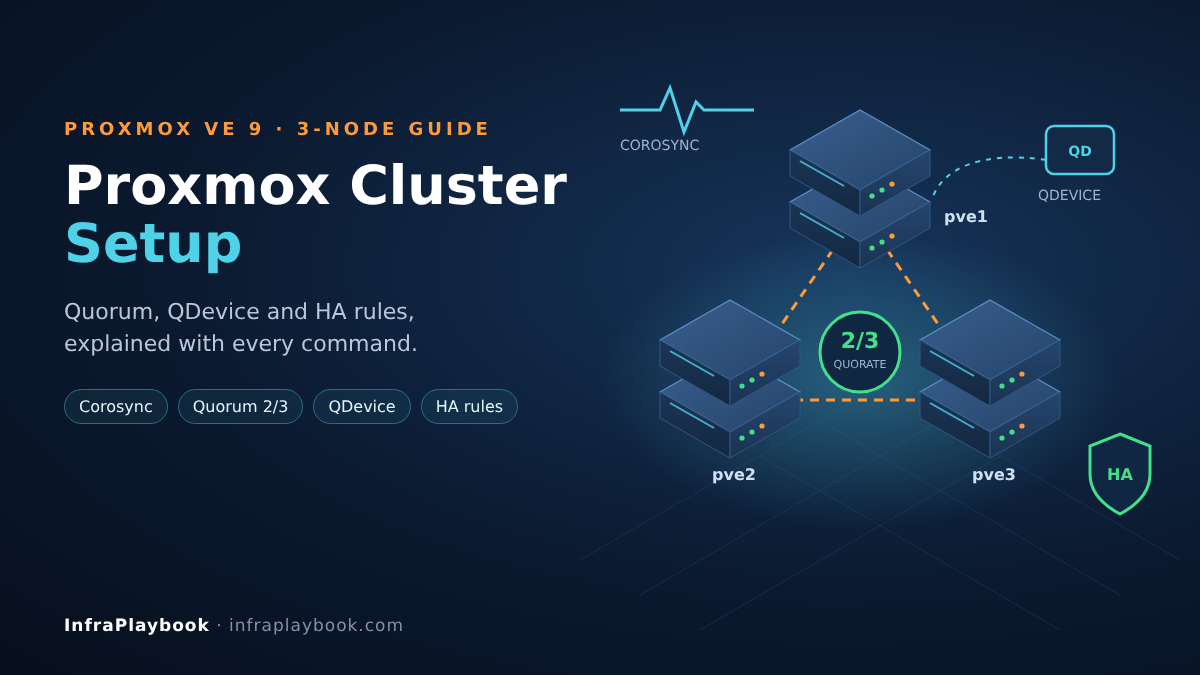
A Proxmox cluster setup takes about ten minutes to click through. Understanding why it can freeze, fence a healthy node or refuse to start a VM takes much longer. Most cluster outages trace back to three things: a shared corosync network, a misunderstanding of quorum, or HA configured without real shared storage.
This guide builds a production three-node cluster from scratch. It explains the quorum maths, shows how a QDevice makes two-node clusters safe, and covers the new HA rules that replaced HA groups in Proxmox VE 9.
Every step includes the exact command, so you can repeat this Proxmox cluster setup on every site.
Table of Contents
- Technical Overview & Background
- Quorum Explained in Plain Numbers
- Core System Prerequisites
- Step-by-Step Implementation Guide
- Two-Node Clusters: Adding a QDevice
- Architecture & Component Breakdown
- Real-World Use Cases & Enterprise Examples
- Troubleshooting, Edge Cases & Best Practices
- FAQ
- Summary & Key Takeaways
Technical Overview & Background
A Proxmox VE cluster joins several hosts into one management domain. Any node can manage every VM, and guests can live-migrate between nodes. With shared or replicated storage, failed guests restart automatically on surviving nodes.
Three components make that work:
- Corosync. The cluster communication layer. It tracks which nodes are alive and delivers messages in a guaranteed order.
- pmxcfs. The Proxmox Cluster File System, mounted at
/etc/pve. It replicates configuration (VM configs, storage, users, firewall) to every node in real time. - ha-manager. The high-availability stack. It watches HA-managed guests and restarts or moves them when a node fails.
What changed in Proxmox VE 9
Proxmox VE 9 (released August 2025) replaced HA groups with HA rules:
- Node affinity rules say which nodes a guest prefers, with priorities. They do what groups did.
- Resource affinity rules are new. They keep guests together on one node or apart on different nodes.
- The old “nofailback” group flag became a “failback” option on each HA resource, enabled by default.
When you upgrade from 8.x, existing groups are converted to rules automatically once every node runs 9. If you haven’t upgraded yet, start with our Proxmox 8 to 9 upgrade guide.
Quorum Explained in Plain Numbers
Quorum is the rule that stops a split cluster from running the same VM twice. A partition may only make changes if it holds a strict majority of votes. By default, each node has one vote.
| Nodes | Total votes | Votes needed | Node failures tolerated |
|---|---|---|---|
| 1 | 1 | 1 | 0 |
| 2 | 2 | 2 | 0 |
| 2 + QDevice | 3 | 2 | 1 |
| 3 | 3 | 2 | 1 |
| 4 | 4 | 3 | 1 |
| 5 | 5 | 3 | 2 |
Two lessons come straight out of this table:
- A plain two-node cluster tolerates zero failures. Lose one node and the survivor loses quorum.
/etc/pvebecomes read-only and HA stops. - Even node counts add cost without adding tolerance. Four nodes tolerate one failure, the same as three.
What happens when a node loses quorum
A node that drops out of the quorate partition cannot make changes. If it runs HA guests, its watchdog fences it. The node resets itself after about 60 seconds. Only after that window do the surviving nodes restart its HA guests. This is what prevents two copies of the same VM writing to the same disk.
Core System Prerequisites
Nodes for a Proxmox cluster setup
- Three nodes for production HA, ideally with matching CPU generations.
- Same Proxmox VE major version on every node (9.x recommended).
- Unique hostnames and static IPs that resolve correctly on every node (
/etc/hostsor DNS). - No existing guests on nodes that will join. A joining node’s
/etc/pveis replaced by the cluster’s. Back up and move guests off first. - Time sync (chrony) working on every node.
Networking (the part that matters most)
Corosync needs low, stable latency. The Proxmox documentation asks for LAN-level latency (under about 5 ms). It cares about latency far more than bandwidth.
| Network | Purpose | Recommendation |
|---|---|---|
| Corosync link0 | Cluster heartbeat | Dedicated 1 GbE NIC + switch or VLAN with no storage traffic |
| Corosync link1 | Redundant heartbeat | Second NIC or the management network |
| Storage / Ceph | VM disk I/O | 10–25 GbE, separate from corosync |
| Migration | Live migration traffic | Storage or a dedicated network |
| Management / VMs | GUI, API, guest traffic | Separate bridge or VLANs |
Never put corosync only on the storage network. A Ceph rebuild or backup saturating that link causes corosync timeouts. Nodes then fence each other for no real reason.
Storage for HA
In any Proxmox cluster setup, HA only works if another node can reach the guest’s disk. Options:
- Ceph (hyper-converged): synchronous, shared; needs 3+ nodes.
- Shared SAN/NAS: NFS, iSCSI or Fibre Channel with LVM.
- ZFS storage replication: asynchronous copies every 1–15 minutes. A failover may lose the changes since the last sync.
Step-by-Step Implementation Guide
This example Proxmox cluster setup uses three nodes, pve1–pve3, with:
- Corosync link0:
10.10.10.11–13(dedicated) - Corosync link1:
192.168.1.11–13(management)
Step 1 — Prepare every node
# Same version everywhere
pveversion

# Every node must resolve every other node
cat >> /etc/hosts <<'EOF'
10.10.10.11 pve1-corosync
10.10.10.12 pve2-corosync
10.10.10.13 pve3-corosync
EOF

# Check latency on the corosync network (expect well under 1 ms on a LAN)
ping -c 20 10.10.10.12 | tail -1

# Time sync
chronyc tracking | grep -E 'System time|Leap'
Step 2 — Create the cluster on the first node
# On pve1
pvecm create prod-cluster \
  --link0 10.10.10.11 \
  --link1 192.168.1.11
Set link priorities if you want a specific link preferred (higher number wins). Corosync’s kronosnet transport fails over between links automatically.
Step 3 — Join the other nodes
# On pve2
pvecm add 10.10.10.11 \
  --link0 10.10.10.12 \
  --link1 192.168.1.12

# On pve3
pvecm add 10.10.10.11 \
  --link0 10.10.10.13 \
  --link1 192.168.1.13
You will be asked for root@pam‘s password on pve1 and to confirm its fingerprint. Join one node at a time.
Step 4 — Verify quorum and links
pvecm status
pvecm nodes
corosync-cfgtool -s
You want Quorate: Yes, Expected votes: 3, Total votes: 3. corosync-cfgtool -s should show both links connected for every node.
Step 5 — Add shared storage
For hyper-converged Ceph, use Datacenter → Ceph on each node, then create monitors, managers and OSDs. For ZFS replication instead:
# Replicate VM 100 from pve1 to pve2 every 5 minutes
pvesr create-local-job 100-0 pve2 --schedule '*/5'
pvesr status
The ZFS pool must have the same name on every node for replication and HA to work.
Step 6 — Configure the HA shutdown policy
By default, a clean node reboot doesn’t move HA guests. Set the policy so maintenance reboots migrate them first:
# /etc/pve/datacenter.cfg
ha: shutdown_policy=migrate
You can also set this in Datacenter → Options → HA Settings.
Step 7 — Add guests to HA
HA resources must exist before you can reference them in rules.
ha-manager add vm:100 --state started --max_restart 1 --max_relocate 1
ha-manager add vm:101 --state started
ha-manager add vm:200 --state started
ha-manager add vm:201 --state started

ha-manager statusmax_restart: restart attempts on the same node before relocating.max_relocate: how many times HA may move the guest to another node.failback: on by default in PVE 9. The guest moves back to its preferred node when that node returns.
Step 8 — Create HA rules (Proxmox VE 9)
Create rules in Datacenter → HA → Rules, or on the CLI. Run ha-manager help rules to confirm the syntax for your point release.
Node affinity: prefer pve1 for the app servers, fall back to the others:
ha-manager rules add node-affinity app-prefer-pve1 \
  --resources vm:100,vm:101 \
  --nodes pve1:2,pve2:1,pve3:1
Negative resource affinity: never run the two database replicas on the same node:
ha-manager rules add resource-affinity db-keep-apart \
  --resources vm:200,vm:201 \
  --affinity negative
Positive resource affinity: keep an app server with its cache:
ha-manager rules add resource-affinity app-with-cache \
  --resources vm:100,vm:110 \
  --affinity positive
Use --strict 1 on node-affinity rules only when a guest must never run elsewhere, for example due to licensing. A strict rule with no available node means the guest stays down.
Step 9 — Test failover before production
Do this in a maintenance window, with backups in place (see our Proxmox Backup Server setup guide).
- Live-migrate a test VM between all nodes:
qm migrate 100 pve2 --online. - Put a node into maintenance and watch HA guests move:
ha-manager crm-command node-maintenance enable pve1
ha-manager status
ha-manager crm-command node-maintenance disable pve1- Pull the power (or the corosync cables) on one node. Time how long until its HA guests run elsewhere. Expect roughly 1–3 minutes including fencing.
Two-Node Clusters: Adding a QDevice
Two-node Proxmox cluster setups are common in small offices. Without help they tolerate zero failures. A QDevice fixes that by adding a third, external vote.
The QDevice daemon (corosync-qnetd) runs on any small Linux host outside the cluster. That can be a VM on other hardware, a NAS, a cloud instance or even a Raspberry Pi. It doesn’t run guests or store data.
# On the external arbitrator (Debian/Ubuntu)
apt install corosync-qnetd

# On BOTH Proxmox nodes
apt install corosync-qdevice

# On ONE Proxmox node (needs root SSH to the arbitrator during setup)
pvecm qdevice setup 192.168.1.50

pvecm status    # expect: Expected votes 3, Qdevice listed
Rules for QDevices:
- Use them with even node counts (2 or 4). Proxmox advises against them for odd counts. There the QDevice gets several votes and becomes a single point of failure.
- Place the arbitrator in a different failure domain, never as a VM on one of the two nodes.
- Never combine a QDevice with
two_nodeorauto_tie_breakercorosync settings. - Storage: Ceph needs three nodes, so two-node clusters use ZFS replication or external shared storage.
Architecture & Component Breakdown
| Component | Runs on | Role |
|---|---|---|
| corosync | Every node | Membership, heartbeat, quorum votes (kronosnet transport, up to 8 links) |
pmxcfs (pve-cluster) | Every node | Replicated config database mounted at /etc/pve |
| pve-ha-crm | Every node (one active master) | Cluster Resource Manager: decides where HA guests run |
| pve-ha-lrm | Every node | Local Resource Manager: starts/stops guests on its node |
| watchdog-mux | Every node | Self-fences the node if it loses quorum with active HA guests |
| corosync-qnetd | External host | Supplies the tie-breaker vote for even-sized clusters |
| CRS | Cluster-wide | Cluster Resource Scheduler: picks a target node by load |
| HA rules | /etc/pve | Node and resource affinity constraints (PVE 9) |
How a node failure is handled
pve2 loses power
   │
   ├─ corosync: pve1 + pve3 = 2/3 votes → still quorate
   ├─ pve2 (if partially alive) loses quorum → watchdog resets it (~60 s)
   ▼
pve-ha-crm (master) waits for fencing window, marks pve2 fenced
   │
   ├─ checks HA rules (node affinity priorities, resource affinity)
   ├─ CRS chooses least-loaded allowed node
   ▼
pve-ha-lrm on target node starts vm:xxx from shared/replicated storage
   │
   └─ pve2 returns → failback=1 moves guests back to preferred node
Real-World Use Cases & Enterprise Examples
1. SMB replacing a VMware vSphere Essentials cluster
Three hosts with Ceph on 25 GbE replace vSphere plus vSAN. A dedicated 1 GbE switch carries corosync link0, and the management network is link1. HA rules mirror the old DRS rules. That is the most common Proxmox cluster setup after a VMware exit, and the licensing savings usually pay for the faster storage network.
2. Two-node branch office with a QDevice
Two compact servers with ZFS replication every 5 minutes, and a QDevice running on the branch’s NAS. If one server fails, the other keeps quorum and restarts guests from the latest replica. The business accepts the small data-loss window in exchange for lower cost.
3. MSP running many client clusters
An MSP standardises one cluster template: node naming, corosync subnets, HA shutdown policy and baseline HA rules, all scripted with the commands above. Every client site looks the same, so on-call engineers don’t need to relearn each environment.
4. Database pairs with anti-affinity
Two PostgreSQL replicas and two domain controllers each use negative resource affinity. A single host failure can never take out both members of a pair, even after automatic rebalancing.
5. Licensing-bound workloads
A guest licensed to specific hardware uses a strict node-affinity rule limited to two named nodes. HA still protects it, but only within the licensed hosts.
Troubleshooting, Edge Cases & Best Practices
Cluster lost quorum and /etc/pve is read-only
Cause: too many nodes down, or the corosync network failed.
Fix: restore the network or nodes first. Only in an emergency, with the other nodes confirmed off, run pvecm expected 1 on the surviving node to regain write access. Undo it as soon as the other nodes return.
Random node reboots (“fencing”) under load
Cause: corosync shares a saturated link with storage, backup or migration traffic.
Fix: give corosync a dedicated link0 and a second link. Check journalctl -u corosync for link down or token timeout messages.
Join fails with “this host already contains virtual guests”
Cause: the joining node has guests. Joining would overwrite their configs.
Fix: back them up, remove or move them, join the node, then restore.
HA guest shows “error” state
ha-manager status
journalctl -u pve-ha-lrm -u pve-ha-crm --since "1 hour ago"
Fix the root cause (storage unavailable, missing bridge on the target node), then reset it:
ha-manager set vm:100 --state disabled
ha-manager set vm:100 --state started
HA rule shows no resources to select
Cause: in PVE 9, guests must be added as HA resources first.
Fix: add them under Datacenter → HA → Resources, then create the rule.
Removing a node permanently
Shut the node down for good first, then on a remaining node:
pvecm delnode pve3Never let a removed node boot back into the same network with its old config. Reinstall it before reuse.
Proxmox cluster setup checklist
- Three nodes (or two plus a QDevice). Avoid even counts without a QDevice.
- Dedicated corosync link plus a redundant link.
- Same PVE version, same storage names, same bridge names on every node.
- Shared or replicated storage for every HA guest.
- Shutdown policy = migrate for painless maintenance.
- HA rules for preference and anti-affinity,
strictonly where truly needed. - Test fencing and failover before go-live, then every quarter.
- Backups outside the cluster. HA is not a backup.
FAQ
How many nodes do I need for a Proxmox cluster?
For high availability, at least three nodes, or two nodes plus an external QDevice. A two-node cluster without a QDevice loses quorum when either node fails, so HA cannot work. Odd node counts give the best failure tolerance per server.
Can I run a Proxmox cluster without shared storage?
Yes for management and offline migration. For automatic HA failover, a guest’s disk must be reachable from another node, through Ceph, shared SAN/NAS storage or ZFS replication. With ZFS replication, failover may lose changes made since the last sync.
What replaced HA groups in Proxmox VE 9?
HA rules. Node affinity rules replace groups and keep their priorities. Resource affinity rules are new and keep guests together or apart. Groups are migrated automatically after every node runs Proxmox VE 9.
Does a QDevice need to be a Proxmox server?
No. It only runs the small corosync-qnetd service on any reachable Linux host outside the cluster. It doesn’t run VMs or store data. Place it in a different failure domain from the cluster nodes.
Can Proxmox cluster nodes be in different data centres?
Only with LAN-like latency between them. Corosync needs very low, stable latency (the docs suggest under about 5 ms). For distant sites, run separate clusters and replicate backups between them instead.
Summary & Key Takeaways
A reliable Proxmox cluster setup depends more on design than on the wizard. Get the corosync network, quorum maths and storage right, and HA becomes a predictable, testable feature instead of a source of mysterious reboots.
Key takeaways:
- Quorum = strict majority. Three nodes tolerate one failure. Two nodes tolerate none without a QDevice.
- Corosync needs its own low-latency link, plus a redundant second link.
- Use a QDevice for two-node clusters, on an external host, never for odd node counts.
- HA requires shared or replicated storage. ZFS replication can lose the last few minutes of changes.
- Proxmox VE 9 uses HA rules: node affinity for preference, resource affinity for together or apart.
- Set shutdown policy to migrate and test failover before going live.
Next in this series: Automating Proxmox VMs With Terraform/OpenTofu (Cloud-Init Templates Included).
Editorial note: Checked against the official Proxmox VE cluster manager documentation and High Availability documentation. Confirm CLI syntax with
ha-manager helpon your exact release.