
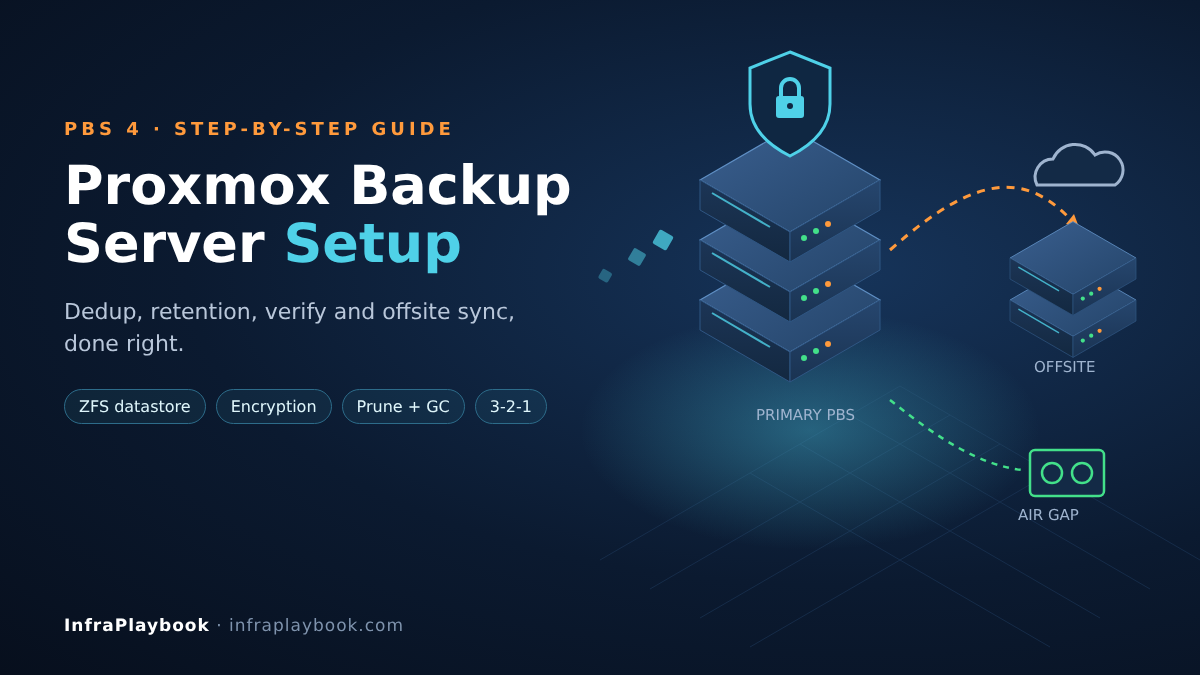
A good Proxmox Backup Server setup is the difference between “we have backups” and “we can restore.” Most teams install PBS in an afternoon, point Proxmox VE at it and move on. Months later they find disks full, verify jobs never configured, or an encryption key nobody saved.
This guide builds a PBS 4 deployment the way it should run in production. It covers the install, a ZFS datastore, least-privilege API tokens, client-side encryption, retention, garbage collection, verification and an offsite copy.
Every step includes the CLI command, so you can script it across clients or sites.
Table of Contents
- Technical Overview & Background
- How PBS Stores Data
- Core System Prerequisites
- Step-by-Step Implementation Guide
- Architecture & Component Breakdown
- Real-World Use Cases & Enterprise Examples
- Troubleshooting, Edge Cases & Best Practices
- FAQ
- Summary & Key Takeaways
Technical Overview & Background
Proxmox Backup Server (PBS) is an open-source, enterprise backup platform from Proxmox Server Solutions GmbH. It backs up Proxmox VE virtual machines and containers, plus physical Linux hosts through its own client. It is licensed under the GNU AGPLv3.
PBS 4.0 was released on 6 August 2025. It moved the platform to Debian 13 “Trixie”, shipped Linux kernel 6.14 and ZFS 2.3.3, and added two notable features:
- S3-compatible object storage as a datastore backend, with a local cache to cut API calls.
- Live RAIDZ expansion, so you can add a disk to an existing RAIDZ vdev.
PBS 4 also added a “run-on-mount” option, so a sync job starts automatically when a removable datastore (such as a USB drive) is plugged in.
Why a Proxmox Backup Server setup beats plain vzdump files
Proxmox VE can write vzdump archives to any NFS or SMB share. That works, but every backup is a full copy. PBS changes the economics:
- Incremental-forever backups. After the first run, only changed data is sent.
- Deduplication across all guests. Identical chunks are stored once per datastore.
- Fast incremental VM backups using QEMU dirty bitmaps, so running VMs aren’t fully re-read.
- Client-side encryption (AES-256-GCM) before data leaves the host.
- Built-in integrity checks through verify jobs.
- File-level restore and live-restore of VMs directly from the backup.
For teams leaving VMware, PBS is usually what replaces Veeam for Proxmox workloads. If that migration is still in progress, see our guide to VMware to Proxmox migration failures.
How PBS Stores Data
Understanding the storage model explains almost every choice in a Proxmox Backup Server setup.
Chunks
PBS splits every backup into chunks and names each one by its SHA-256 hash:
- VM disk images use fixed-size 4 MiB chunks.
- Container and host file archives (
.pxar) use dynamic, content-defined chunks.
Chunks are compressed with Zstandard (zstd) and written to the datastore’s .chunks directory. If a chunk with the same hash already exists, PBS doesn’t write it again. That’s the deduplication.
Snapshots and indexes
A backup snapshot is just a set of small index files that list which chunks make up each disk or archive. Deleting a snapshot removes the index, not the chunks.
Why garbage collection matters
Because chunks are shared, PBS can’t delete them when you prune a snapshot. Garbage collection (GC) marks every chunk still referenced by any index, then removes the rest once they are older than a safety window (about 24 hours by default).
So the lifecycle is always: back up → prune → garbage collect. Skip GC and disk usage never drops.
Core System Prerequisites
Hardware
| Component | Minimum (lab / small office) | Recommended (production) |
|---|---|---|
| CPU | 4 cores (x86-64) | 8+ cores; AES-NI for encryption |
| RAM | 4 GB + ~1 GB per TB of datastore | 32 GB+ for ZFS ARC and verify jobs |
| OS disk | 32 GB SSD | Mirrored SSDs |
| Datastore | Any local disks | Enterprise SSDs, or HDDs with a ZFS special device on SSD |
| Network | 1 GbE | 10 GbE to the PVE hosts |
Disk speed matters more than capacity. Restores, verify and GC all do random reads across millions of small chunk files. A pool of slow HDDs without an SSD metadata device will back up fine but restore slowly.
Placement rules
- Never run PBS as a VM on the same host it protects. If that host dies, so does your backup server.
- Keep the datastore off the production storage array (separate disks, separate failure domain).
- Plan a second copy offsite or on removable media from day one (the 3-2-1 rule).
Software and access
- PBS 4 ISO, or Debian 13 with the PBS repository.
- Proxmox VE 8.4 or 9.x clients. If you are still on 8.x, see our Proxmox 8 to 9 upgrade guide.
- TCP port 8007 open from PVE hosts to PBS (web UI and API).
- A password manager or vault for encryption keys and API secrets.
Step-by-Step Implementation Guide
Step 1 — Install PBS 4
The simplest path is the official ISO: boot it, pick the target disk, set a hostname and static IP. The web UI is then at https://<pbs-ip>:8007.
To install on an existing Debian 13 system instead:
# Add the Proxmox release key and the PBS no-subscription repository (deb822 format)
wget https://enterprise.proxmox.com/debian/proxmox-archive-keyring-trixie.gpg \
  -O /usr/share/keyrings/proxmox-archive-keyring.gpg

cat > /etc/apt/sources.list.d/pbs.sources <<'EOF'
Types: deb
URIs: http://download.proxmox.com/debian/pbs
Suites: trixie
Components: pbs-no-subscription
Signed-By: /usr/share/keyrings/proxmox-archive-keyring.gpg
EOF

apt update && apt install -y proxmox-backup-server
Check the keyring file name against the official PBS installation docs for your exact release.
Step 2 — Create a datastore on ZFS
List the disks PBS can see:
proxmox-backup-manager disk listCreate a mirrored ZFS pool and register it as a datastore in one command:
proxmox-backup-manager disk zpool create store1 \
  --devices sdb,sdc --raidlevel mirror --add-datastore true
For larger HDD pools, add an SSD special device for metadata. It dramatically speeds up GC and verify:
zpool add store1 special mirror /dev/nvme0n1 /dev/nvme1n1
zfs set special_small_blocks=0 store1
If you prefer ext4 or XFS on hardware RAID:
proxmox-backup-manager disk fs create store1 \
  --disk sdb --filesystem xfs --add-datastore true
Step 3 — Create a dedicated user and API token
Never connect Proxmox VE with root@pam. Create a backup user and a token per cluster:
proxmox-backup-manager user create backup@pbs
proxmox-backup-manager user generate-token backup@pbs pve-cluster1
The output shows the token secret once. Store it in your vault.
Grant the token the minimum role on the datastore:
proxmox-backup-manager acl update /datastore/store1 DatastoreBackup \
  --auth-id 'backup@pbs!pve-cluster1'
DatastoreBackup can create backups and read its own, but cannot delete or prune. That limits the damage if a PVE host is compromised by ransomware.
Step 4 — Use namespaces for separation
Namespaces split one datastore into logical areas while still sharing deduplication. Create them under Datastore → Content → Add Namespace in the UI, for example:
prod/cluster1prod/cluster2lab
Use one namespace per cluster or client. Prune, verify and sync jobs can then target each one separately.
Step 5 — Connect Proxmox VE
Get the PBS certificate fingerprint:
proxmox-backup-manager cert info | grep FingerprintThen add the storage on any PVE node (it applies cluster-wide):
pvesm add pbs pbs-store1 \
  --server 192.168.10.50 \
  --datastore store1 \
  --namespace prod/cluster1 \
  --username 'backup@pbs!pve-cluster1' \
  --password '<token-secret>' \
  --fingerprint '<sha256-fingerprint>' \
  --encryption-key autogen
--encryption-key autogen creates a client-side key on the PVE cluster. Back it up immediately:
cat /etc/pve/priv/storage/pbs-store1.encSave the content in your password manager and keep an offline copy. Without this key, encrypted backups cannot be restored. Proxmox can also wrap it with a master key; that is worth setting up for larger estates.
Step 6 — Create backup jobs in Proxmox VE
In Datacenter → Backup, add a job:
- Storage:
pbs-store1 - Schedule: e.g.
21:00daily (stagger large clusters) - Mode: Snapshot (no guest downtime)
- Selection: all guests, or by pool or tag
Two advanced options are worth turning on:
- Fleecing: buffers changed blocks on fast local storage during the backup. It protects running VMs from slow-backup-target I/O stalls.
- Change detection mode “metadata” for containers: only re-reads files whose metadata changed, which makes container backups much faster.
Step 7 — Configure prune (retention)
In a Proxmox Backup Server setup, retention belongs on PBS, not on each PVE job. Then a compromised PVE host can’t change it, and every cluster follows one policy.
proxmox-backup-manager prune-job create store1-prune \
  --store store1 --ns prod --max-depth 2 \
  --schedule 'daily 02:00' \
  --keep-last 3 --keep-daily 7 --keep-weekly 4 --keep-monthly 6
This keeps about 20 restore points spanning six months. Because of deduplication, the extra months usually cost far less space than they sound.
Step 8 — Configure garbage collection
proxmox-backup-manager datastore update store1 --gc-schedule 'daily 04:00'Run it after prune and outside the backup window. To check the last run:
proxmox-backup-manager garbage-collection status store1Remember the safety window: space freed by today’s prune only comes back on the next day’s GC.
Step 9 — Configure verify jobs
Verify jobs re-read chunks and check their hashes. That catches bit rot and disk errors before you need a restore.
proxmox-backup-manager verify-job create store1-verify \
  --store store1 --schedule 'sat 06:00' \
  --ignore-verified true --outdated-after 30
This verifies new snapshots weekly and re-checks each snapshot every 30 days. Corrupt chunks are flagged, and the next backup automatically re-uploads them.
Step 10 — Add an offsite copy with a sync job
On a second PBS (offsite, a VPS or a colocated box), add the primary as a remote and pull from it:
# On the offsite PBS
proxmox-backup-manager remote create primary \
  --host pbs1.example.com --auth-id 'sync@pbs!offsite' \
  --password '<token-secret>' --fingerprint '<primary-fingerprint>'

proxmox-backup-manager sync-job create pull-primary \
  --store offsite1 --remote primary --remote-store store1 \
  --schedule 'hourly' --remove-vanished false
Pull is the safer default: the offsite box holds the credentials, and the primary cannot delete offsite data. Keep --remove-vanished false so a malicious prune on the primary doesn’t wipe the offsite copy. Give the offsite datastore its own prune policy.
Since client-side encryption is on, the offsite PBS only ever sees encrypted chunks.
Step 11 — Test a restore
A Proxmox Backup Server setup that has never been restore-tested is a hypothesis. Run these at least quarterly:
# List snapshots for one VM
proxmox-backup-client snapshot list \
  --repository 'backup@pbs!pve-cluster1@192.168.10.50:store1' --ns prod/cluster1

# Restore VM 101 as new VM 9101 on PVE (from a PVE node)
qmrestore pbs-store1:backup/vm/101/2026-10-14T21:00:00Z 9101 --storage local-zfs
Also test a file-level restore from the PVE GUI and a live-restore, so the team knows both paths before an incident.
Architecture & Component Breakdown
| Component | Role |
|---|---|
| proxmox-backup-proxy | Serves the API and web UI on port 8007; receives backup streams |
| proxmox-backup-api | Privileged daemon handling configuration and system tasks |
| Datastore | Directory or ZFS dataset holding .chunks and snapshot indexes |
| Namespace | Logical folder inside a datastore; shares deduplication |
| Prune job | Deletes snapshot indexes according to keep-rules |
| Garbage collection | Removes chunks no longer referenced by any index |
| Verify job | Re-hashes chunks to detect corruption |
| Sync job | Copies snapshots between PBS instances (pull or push) |
| Remote | Saved connection to another PBS |
| proxmox-backup-client | CLI client for physical Linux hosts and manual operations |
| Tape / removable datastore | Air-gapped copies on LTO tape or USB disks |
Data flow
PVE host (VM / CT)
   │ QEMU dirty bitmap → only changed 4 MiB blocks
   │ client-side AES-256-GCM encryption + zstd
   ▼
PBS primary  ── datastore store1 (ZFS mirror + special vdev)
   │  prune 02:00 → GC 04:00 → verify Sat 06:00
   ▼  hourly pull sync (encrypted chunks only)
PBS offsite  ── datastore offsite1 (own retention, no delete from primary)
   ▼  optional
Tape / removable datastore (air gap)
Real-World Use Cases & Enterprise Examples
1. MSP backing up 30 small-office clients
In an MSP Proxmox Backup Server setup, one central PBS with one namespace per client keeps billing and restores clean. Each client cluster gets its own API token with DatastoreBackup on its namespace only. A second PBS in a different data centre pulls everything nightly.
Deduplication matters a lot here. Dozens of Windows Server VMs share many identical OS chunks.
2. Mid-market company replacing Veeam after a VMware exit
A three-node Proxmox cluster backs up to a PBS with HDDs and an NVMe special device. Snapshot-mode jobs run nightly with fleecing enabled, and verify runs weekly. Live-restore gives a recovery time close to what Veeam’s instant recovery offered for critical VMs.
3. Branch offices with slow WAN links
Each branch runs a small local PBS for fast restores. A central PBS pulls from each branch. Only new, deduplicated chunks cross the WAN, which keeps nightly offsite traffic small.
4. Cloud-tiered offsite copy with S3
PBS 4’s S3 datastore lets the offsite tier live in S3-compatible object storage instead of a second server. A local cache holds frequently used metadata to keep API costs down. Check your provider’s request pricing and egress fees before relying on it for large restores.
5. Ransomware-resilient design
Combine three controls:
- PVE uses a backup-only token that cannot prune or delete.
- The offsite PBS pulls and never removes vanished snapshots.
- A removable datastore or tape rotation provides an air-gapped copy.
Even with full control of the PVE cluster, an attacker cannot erase all copies.
Troubleshooting, Edge Cases & Best Practices
Datastore full even after pruning
Cause: garbage collection hasn’t run, or ran within the safety window.
Fix: run proxmox-backup-manager garbage-collection start store1, then check again the next day. Never delete files in .chunks by hand.
“Fingerprint mismatch” when adding storage
Cause: the PBS certificate was regenerated, or you copied the wrong fingerprint.
Fix: re-run proxmox-backup-manager cert info and update the PVE storage with pvesm set pbs-store1 --fingerprint <new>.
Backups slow down running VMs
Cause: the backup target is slower than guest writes, so writes stall.
Fix: enable fleecing to fast local storage, lower bwlimit for the job, or improve PBS disk speed.
Verify job reports corrupt chunks
Cause: disk errors or bit rot.
Fix: check zpool status or SMART data first. The next backup of each affected guest re-uploads good chunks automatically. Then restore-test that guest.
Restores are much slower than backups
Cause: HDD-only datastore. Restores read chunks randomly.
Fix: add a ZFS special device on SSD, or move hot datastores to SSD. Keep HDD pools for long-term or offsite tiers.
Lost encryption key
There is no recovery. This is by design. Prevent it by storing every key in two places and documenting where.
Proxmox Backup Server setup checklist
- Never back up to a PBS VM on the same host.
- Least privilege:
DatastoreBackupfor PVE, a separate sync user, noroot@pamtokens. - Retention on PBS, not on PVE jobs.
- Order: backup → prune → GC → verify, each in its own time slot.
- 3-2-1: primary PBS, offsite pull copy, and removable or tape copy.
- Monitor: set up PBS notifications (email or webhook) for failed jobs and disk usage.
- Restore-test quarterly, and record recovery times.
- Keep PBS updated. PBS 3 follows the Proxmox lifecycle just like PVE 8.
FAQ
Is Proxmox Backup Server free?
Yes. PBS is free, open-source software under the GNU AGPLv3, with no limits on clients or storage. Paid subscriptions (from €540 per server per year, per Proxmox) add the enterprise repository and official support.
Can I run Proxmox Backup Server as a VM?
You can, but never on the host it protects. A PBS VM on a separate host or cluster, with its own disks passed through, is acceptable. A dedicated physical box is still the most resilient option.
How much storage does PBS need?
Plan for the full size of all guests for the first backup, then a fraction of that for each day of changes. Deduplication and zstd compression often keep months of history within 1.5–3× the size of the protected data. Your real ratio depends on change rate and retention.
What is the difference between prune and garbage collection?
Prune deletes snapshot index files according to your keep-rules. Garbage collection then removes the chunks no longer used by any index. You need both. Prune alone frees almost no disk space.
Does PBS support offsite backups to the cloud?
Yes. You can sync to a second PBS on a VPS or in another site, and PBS 4 adds S3-compatible object storage as a datastore backend. Use client-side encryption so the offsite location only stores encrypted chunks.
Summary & Key Takeaways
A reliable Proxmox Backup Server setup is less about installing the software and more about the jobs around it. Deduplicated, incremental, encrypted backups are only useful if retention, garbage collection, verification and offsite copies run without anyone thinking about them.
Key takeaways:
- PBS 4 runs on Debian 13 with ZFS 2.3 and adds S3 datastores and live RAIDZ expansion.
- Use fast storage. SSDs or an SSD special device make restores, GC and verify practical.
- Least privilege: a
DatastoreBackupAPI token per cluster, never root. - Encrypt on the client and store the key in two places.
- Run backup → prune → GC → verify on separate schedules.
- Pull to an offsite PBS with
remove-vanishedoff, plus an air-gapped copy. - Test restores regularly, including file-level and live-restore.
Next in this series: Proxmox Cluster Setup: Quorum, QDevice and HA Rules Explained.
Editorial note: Version facts come from the official Proxmox Backup Server 4.0 press release and the PBS documentation. Check command options against the docs for your exact release.