
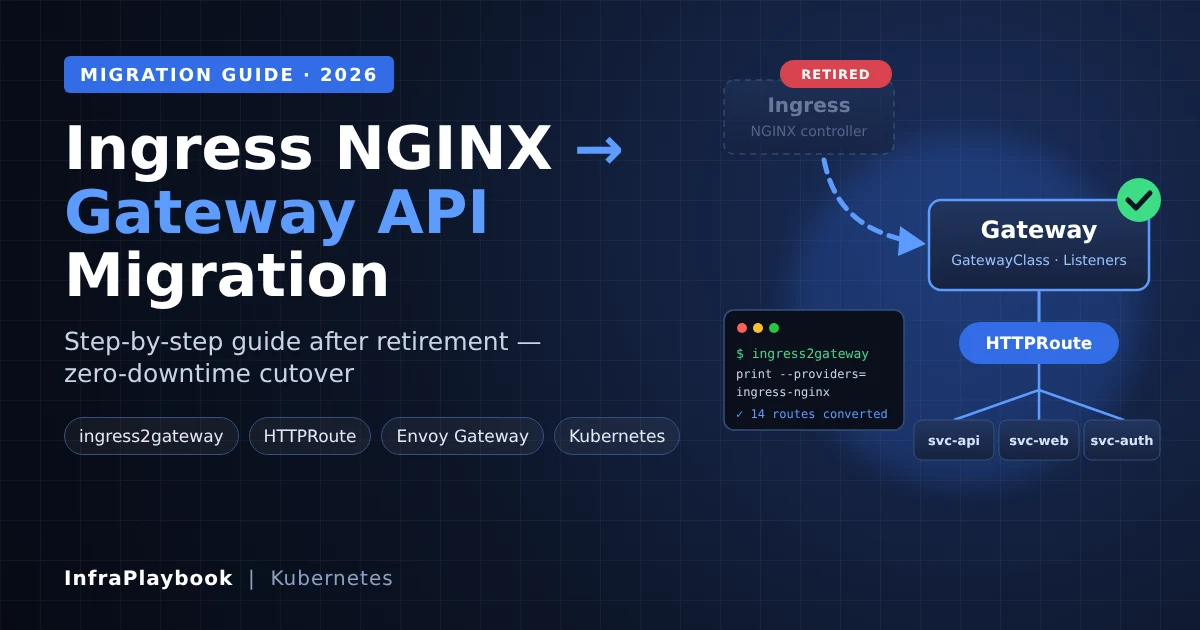
Moving from Ingress NGINX to Gateway API is now a maintenance task, not a roadmap item. The Kubernetes project retired Ingress NGINX in March 2026. Since then, there have been no releases, no bug fixes and no security patches.
Your existing controller keeps routing traffic. The install manifests and images are still downloadable. That is exactly why the risk is easy to miss. The next serious CVE in your edge proxy simply won’t get a fix.
This guide is the migration runbook. It covers how to find every Ingress NGINX dependency, convert it with ingress2gateway 1.0, handle the behaviors that don’t translate cleanly, and cut traffic over without downtime.
Table of Contents
- Technical Overview & Background
- Gateway API vs Ingress: What Actually Changes
- Core System Prerequisites
- Step-by-Step Implementation Guide
- Architecture & Component Breakdown
- Real-World Use Cases & Enterprise Examples
- Troubleshooting, Edge Cases & Best Practices
- FAQ
- Summary & Key Takeaways
Technical Overview & Background
Ingress NGINX (kubernetes/ingress-nginx) was the community-maintained Ingress controller built on NGINX. For years it was the default answer to “how do I expose HTTP services in Kubernetes?” The Kubernetes Steering and Security Response Committees described it as critical infrastructure for roughly half of cloud native environments.
It is a different project from F5’s NGINX Ingress Controller (nginxinc/kubernetes-ingress) and from NGINX Gateway Fabric. Only the community ingress-nginx project was retired.
Timeline
| Date | Event |
|---|---|
| Nov 2025 | Retirement announced; best-effort maintenance only |
| Jan 2026 | Steering + Security Response Committee statement urging immediate migration |
| Mar 2026 | Retirement. No further releases or security patches |
| 20 Mar 2026 | ingress2gateway 1.0 released as the official migration path |
| Apr 2026 | Gateway API v1.5 promotes ListenerSet, TLSRoute, CORS filter and client-cert validation to Standard |
Why the Ingress API ran out of road
The networking.k8s.io/v1 Ingress API only understands hosts, paths, TLS secrets and backends. Everything else lived in controller-specific annotations: rewrites, redirects, CORS, timeouts, auth, canaries. That produced three problems:
- No portability. An Ingress written for NGINX behaves differently on Traefik or HAProxy.
- No role separation. App teams and platform teams edited the same object.
- Huge attack surface. Snippet annotations let anyone with Ingress write access inject raw NGINX config. That was the root of several critical CVEs, including the 2025 “IngressNightmare” chain.
Gateway API fixes this with typed, role-oriented resources. Features that used to be annotations are now real fields.
Gateway API vs Ingress: What Actually Changes
| Concern | Ingress NGINX | Gateway API |
|---|---|---|
| Controller selection | ingressClassName: nginx | GatewayClass |
| Listener, ports, TLS | Implicit in the controller | Gateway resource (owned by platform team) |
| Routing rules | Ingress rules[] | HTTPRoute, GRPCRoute, TLSRoute |
| Path rewrite | rewrite-target annotation | URLRewrite filter |
| Redirects | ssl-redirect, permanent-redirect | RequestRedirect filter |
| Header changes | configuration-snippet / custom headers | RequestHeaderModifier / ResponseHeaderModifier |
| Canary / weights | canary-* annotations | backendRefs[].weight |
| Backend TLS | backend-protocol: HTTPS + proxy-ssl-* | BackendTLSPolicy |
| Cross-namespace refs | Not supported | ReferenceGrant |
The mental model shift is simple: the platform team owns the Gateway, and app teams own Routes that attach to it.
Core System Prerequisites
Check all of these before you convert a single manifest.
Cluster and tooling
- A supported Kubernetes version for your chosen Gateway implementation. Most current implementations need 1.30 or newer.
- kubectl with cluster-admin rights (CRDs are cluster-scoped).
- Helm 3 for installing the Gateway implementation.
- ingress2gateway 1.0+ on your workstation or CI runner.
- A non-production cluster that mirrors production Ingress objects.
A chosen Gateway API implementation
Pick one before you start. Common production choices:
- Envoy Gateway: CNCF Envoy project’s reference implementation; ingress2gateway has a dedicated emitter.
- NGINX Gateway Fabric: F5’s Gateway API implementation, for teams that want to stay on NGINX.
- Cilium: if you already run Cilium as your CNI.
- Istio or kgateway: if you need service mesh or API-gateway features.
- Cloud-managed: GKE Gateway, AWS Load Balancer Controller or Azure Application Gateway for Containers.
Operational requirements
- DNS control with a low TTL (60–300 seconds) on hostnames you’ll move.
- Certificate automation. cert-manager supports Gateway API listeners.
- Synthetic tests for every critical path, including redirects, rewrites and auth flows.
Step-by-Step Implementation Guide
Step 1 — Confirm you run Ingress NGINX
kubectl get pods --all-namespaces \
  --selector app.kubernetes.io/name=ingress-nginx
If this returns pods, you are affected. Also check for older Helm installs with different labels:
kubectl get ingressclass -o wide
kubectl get deploy -A | grep -i ingress
Step 2 — Inventory every Ingress and annotation
Your annotations are your migration scope. Export them:
kubectl get ingress -A -o json | jq -r '
  .items[] |
  .metadata.namespace + "/" + .metadata.name + "\t" +
  ((.metadata.annotations // {}) | keys | map(select(startswith("nginx.ingress.kubernetes.io/"))) | join(","))
' | column -t > ingress-annotation-inventory.txt
Then count which annotations matter most:
kubectl get ingress -A -o json | jq -r '
  .items[].metadata.annotations // {} | keys[] |
  select(startswith("nginx.ingress.kubernetes.io/"))' \
  | sort | uniq -c | sort -rn
Sort your Ingresses into three buckets:
- Green. Only hosts, paths and TLS. These convert automatically.
- Amber. Annotations ingress2gateway translates (rewrites, redirects, CORS, timeouts, canary weights).
- Red.
configuration-snippet,server-snippet,auth-url, regex capture rewrites or Lua. These need manual redesign.
Also snapshot the controller ConfigMap. Global settings such as proxy-body-size or use-forwarded-headers don’t appear on individual Ingresses:
kubectl -n ingress-nginx get configmap ingress-nginx-controller -o yaml > nginx-configmap-backup.yamlStep 3 — Install the Gateway API CRDs
kubectl apply --server-side -f \
  https://github.com/kubernetes-sigs/gateway-api/releases/download/v1.5.1/standard-install.yaml

kubectl get crd | grep gateway.networking.k8s.io
Many implementations bundle their own CRD version. Follow your implementation’s docs if they pin a specific release.
Step 4 — Install a Gateway implementation (Envoy Gateway example)
helm install eg oci://docker.io/envoyproxy/gateway-helm \
  --version <latest-stable> \
  -n envoy-gateway-system --create-namespace

kubectl wait --timeout=5m -n envoy-gateway-system \
  deployment/envoy-gateway --for=condition=Available
Create the GatewayClass and a shared Gateway owned by the platform team:
apiVersion: gateway.networking.k8s.io/v1
kind: GatewayClass
metadata:
  name: eg
spec:
  controllerName: gateway.envoyproxy.io/gatewayclass-controller
---
apiVersion: gateway.networking.k8s.io/v1
kind: Gateway
metadata:
  name: public-gw
  namespace: gateway-infra
spec:
  gatewayClassName: eg
  listeners:
  - name: http
    protocol: HTTP
    port: 80
    allowedRoutes:
      namespaces:
        from: All
  - name: https
    protocol: HTTPS
    port: 443
    hostname: "*.example.com"
    tls:
      mode: Terminate
      certificateRefs:
      - name: wildcard-example-com
    allowedRoutes:
      namespaces:
        from: All
In production, replace from: All with a label Selector so only approved namespaces can attach routes.
Step 5 — Convert with ingress2gateway
Install the tool:
brew install ingress2gateway
# or
go install github.com/kubernetes-sigs/ingress2gateway@v1.0.0
Convert straight from the cluster, one namespace at a time:
ingress2gateway print \
  --providers=ingress-nginx \
  --ingress-nginx-ingress-class=nginx \
  --emitter=envoy-gateway \
  -n shop > shop-gateway.yaml
Or convert from Git manifests in CI:
ingress2gateway print --providers=ingress-nginx \
  --input-file k8s/ingress.yaml > k8s/httproute.yaml
Three details catch people out:
- Use
--providers=ingress-nginx, notnginx. Thenginxprovider is for F5’s controller. - Read every warning. Unsupported annotations are reported, not silently dropped.
- The tool generates its own Gateway. Edit the HTTPRoutes’
parentRefsto point at your sharedpublic-gwinstead of keeping one Gateway per Ingress.
Step 6 — Review and fix the generated HTTPRoutes
A typical converted route, with a prefix rewrite and an HTTPS redirect:
apiVersion: gateway.networking.k8s.io/v1
kind: HTTPRoute
metadata:
  name: shop-api
  namespace: shop
spec:
  parentRefs:
  - name: public-gw
    namespace: gateway-infra
    sectionName: https
  hostnames:
  - shop.example.com
  rules:
  - matches:
    - path:
        type: PathPrefix
        value: /api
    filters:
    - type: URLRewrite
      urlRewrite:
        path:
          type: ReplacePrefixMatch
          replacePrefixMatch: /
    backendRefs:
    - name: shop-api
      port: 8080
---
apiVersion: gateway.networking.k8s.io/v1
kind: HTTPRoute
metadata:
  name: shop-http-redirect
  namespace: shop
spec:
  parentRefs:
  - name: public-gw
    namespace: gateway-infra
    sectionName: http
  hostnames:
  - shop.example.com
  rules:
  - filters:
    - type: RequestRedirect
      requestRedirect:
        scheme: https
        statusCode: 301
Canary weights become plain backend weights:
    backendRefs:
    - name: shop-api-v1
      port: 8080
      weight: 90
    - name: shop-api-v2
      port: 8080
      weight: 10
Step 7 — Validate in parallel (no traffic yet)
Apply the routes and check that they are accepted:
kubectl apply -f shop-gateway.yaml
kubectl get gateway -A
kubectl get httproute -n shop -o wide
kubectl describe httproute shop-api -n shop | grep -A3 Conditions
You want Accepted=True and ResolvedRefs=True. Then test against the new Gateway’s address with the real Host header:
GW_IP=$(kubectl get gateway public-gw -n gateway-infra -o jsonpath='{.status.addresses[0].value}')

curl -sk --resolve shop.example.com:443:$GW_IP https://shop.example.com/api/health -o /dev/null -w "%{http_code}\n"
A short Python script can diff the two edges across your critical paths:
import requests, urllib3
urllib3.disable_warnings()

OLD, NEW = "203.0.113.10", "203.0.113.20"   # old LB IP, new Gateway IP
HOST = "shop.example.com"
PATHS = ["/", "/api/health", "/api/v1/products", "/login", "/static/app.js"]

for p in PATHS:
    r = {}
    for name, ip in (("old", OLD), ("new", NEW)):
        resp = requests.get(f"https://{ip}{p}", headers={"Host": HOST},
                            verify=False, allow_redirects=False, timeout=10)
        r[name] = (resp.status_code, resp.headers.get("location"))
    flag = "OK " if r["old"] == r["new"] else "DIFF"
print(f"{flag} {p:25} old={r['old']} new={r['new']}")(verify=False is only acceptable here because you are connecting by IP for a comparison test.)
Step 8 — Cut over with DNS, then decommission
- Lower DNS TTLs to 60–300 seconds at least one TTL period in advance.
- Point one low-risk hostname at the Gateway address. Watch error rates and latency for 24 hours.
- Move the remaining hostnames in batches.
- Keep Ingress NGINX running but idle for a rollback window, typically one to two weeks.
- Remove the old Ingress objects, the controller and its LoadBalancer Service.
helm uninstall ingress-nginx -n ingress-nginx
kubectl delete ingressclass nginx
Architecture & Component Breakdown
| Component | Owner | Purpose |
|---|---|---|
| GatewayClass | Infrastructure provider | Names the controller implementation |
| Gateway | Platform / cluster operator | Listeners, ports, TLS certificates, which namespaces may attach |
| HTTPRoute / GRPCRoute | Application team | Host and path matching, filters, backends |
| TLSRoute | Application team | TLS passthrough by SNI (Standard as of v1.5) |
| ListenerSet | Application / platform | Lets teams add listeners to a shared Gateway (Standard as of v1.5) |
| ReferenceGrant | Target namespace owner | Explicitly allows cross-namespace references |
| BackendTLSPolicy | Application / security | TLS from the gateway to the backend Service |
Request flow
Client ──DNS──▶ Cloud LB / MetalLB ──▶ Gateway (Envoy/NGINX data plane)
                                          │  listener: https :443, cert
                                          ▼
                                   HTTPRoute match (host + path)
                                          │  filters: rewrite / redirect / headers
                                          ▼
                                   backendRefs (weighted) ──▶ Service ──▶ Pods
The key difference from Ingress NGINX: the data plane (Gateway) and routing intent (Routes) are separate objects with separate RBAC. A developer can no longer change TLS settings or inject proxy config by editing their own route.
Real-World Use Cases & Enterprise Examples
1. SaaS company with 300+ Ingresses
Large estates usually find that 70–80% of Ingresses are “green”: plain host and path routing. Convert those in bulk with ingress2gateway in CI, and spend engineering time on the remaining red bucket. Track progress as a burndown of Ingress objects per namespace.
2. Platform team enforcing multi-tenancy
Gateway API fixes a long-standing complaint. With Ingress NGINX, any team with Ingress RBAC could add a server-snippet. Now the platform team owns one Gateway per environment and uses allowedRoutes label selectors to decide which namespaces can attach. Routes from unapproved namespaces are simply not accepted.
3. Progressive delivery
Teams that used canary-weight get a cleaner model: weighted backendRefs. Argo Rollouts and Flagger both support Gateway API traffic routing, so canary steps become changes to route weights rather than annotation edits on a shadow Ingress.
4. Managed Kubernetes on cloud providers
On GKE, EKS and AKS, the cloud’s own Gateway implementation can replace both Ingress NGINX and the cloud load balancer config. That cuts one network hop. Check feature parity first, especially regex matching and custom header support, which vary between clouds.
5. MSPs running small client clusters
MSPs with many small k3s or RKE2 clusters (often on Proxmox; see our Proxmox 8 to 9 upgrade guide) should standardise on one implementation everywhere. One Helm values file and one Gateway template keep the per-client effort low.
Troubleshooting, Edge Cases & Best Practices
Behaviors Ingress NGINX gave you implicitly
These cause the most “it worked before” tickets:
- Regex paths are prefix-based and case-insensitive. NGINX regex locations matched
/API/usersagainst/api. Gateway APIPathPrefixis case-sensitive. Test mixed-case URLs. use-regexaffects the whole host. When one Ingress for a host enabled regex, NGINX treated all paths on that host as regex, even those in other Ingresses. Your migrated routes may now match differently.rewrite-targetimplies regex. Capture groups like$1and$2have no direct core equivalent. Redesign them asReplacePrefixMatchorReplaceFullPath, or use your implementation’s regex extension.- Trailing-slash redirects. Ingress NGINX could issue 301s to add a trailing slash. Gateway API does exactly what you configure, nothing more.
- Global ConfigMap defaults. Body size limits, timeouts and forwarded-header trust lived in the controller ConfigMap. Recreate them as implementation policies, such as Envoy Gateway’s
ClientTrafficPolicyandBackendTrafficPolicy.
HTTPRoute shows Accepted=False
kubectl describe httproute <name> -n <ns>NotAllowedByListeners: the Gateway’sallowedRoutesdoesn’t permit this namespace.NoMatchingListenerHostname: the route hostname doesn’t match the listener hostname, for example a wildcard mismatch.RefNotPermitted: you are referencing a Service or Secret in another namespace without a ReferenceGrant.
404 from the new Gateway but 200 from the old one
Usually it’s path type. Ingress ImplementationSpecific paths are often treated as regex by NGINX. Convert them explicitly to PathPrefix or Exact.
Snippets, auth-url and rate limiting
These don’t map to core Gateway API. Use your implementation’s policy resources: external auth and rate-limit policies in Envoy Gateway, or the equivalent extensions in NGINX Gateway Fabric, Istio or Kong. Treat this as a redesign, not a conversion.
Best practices
- Migrate namespace by namespace, never “big bang.”
- Keep the generated YAML in Git and convert in CI so drift is visible in review.
- Run both edges in parallel and diff responses before any DNS change.
- Restrict
allowedRoutesfrom day one. Retrofitting tenancy controls is harder. - Pin the Gateway API CRD version in your platform repo, and upgrade it deliberately.
FAQ
Is Ingress NGINX still working after retirement?
Yes. Existing deployments keep routing traffic, and installation artifacts remain available. What stopped in March 2026 is maintenance: there are no new releases, bug fixes or security patches. Running it is an accepted, growing risk.
Is the Kubernetes Ingress API deprecated?
No. The networking.k8s.io/v1 Ingress API remains part of Kubernetes, and other controllers still implement it. Only the community Ingress NGINX controller was retired. Gateway API is the recommended direction for new work.
Can I switch to another Ingress controller instead of Gateway API?
Yes. Traefik, HAProxy, F5 NGINX Ingress Controller and others still support Ingress. It’s a quicker short-term move, but you’ll need to rewrite NGINX-specific annotations anyway. That’s why most teams do the work once and land on Gateway API.
Does ingress2gateway convert every annotation?
No. Version 1.0 converts the common annotations, including rewrites, redirects, CORS, timeouts, canary weights, backend protocol and SSL passthrough. It warns about the ones it can’t map, such as snippets, custom headers and regex capture rewrites. Those need manual work.
How long does an Ingress NGINX to Gateway API migration take?
For a cluster with mostly simple routing, a few days including parallel testing. Estates with heavy snippet or auth annotations often need several weeks. The annotation inventory in Step 2 gives you a realistic estimate early.
Summary & Key Takeaways
Ingress NGINX served Kubernetes well, but it is now unmaintained edge software in front of your applications. Moving from Ingress NGINX to Gateway API replaces annotation sprawl with typed, role-based resources. It also removes the snippet-injection risk that caused the controller’s worst CVEs.
Key takeaways:
- Retired March 2026. Ingress NGINX still runs, but gets no security patches.
- Inventory first. Your annotations define the real migration scope.
- Use ingress2gateway 1.0 with
--providers=ingress-nginxand read every warning. - Watch implicit behaviors: case-insensitive regex, host-wide
use-regex,rewrite-targetcapture groups and trailing-slash redirects. - Platform owns the Gateway; teams own the Routes. Lock down
allowedRoutesearly. - Run both edges in parallel, diff responses, then cut over by DNS in batches.
Next in this series: OpenTofu vs Terraform in 2026 and Running Kubernetes on Proxmox: Talos vs k3s vs kubeadm.
Editorial note: Facts were checked against the official Ingress NGINX retirement announcement, the ingress2gateway 1.0 release post and the Gateway API v1.5 release notes. Check your implementation’s docs for exact versions before production use.